ALL IN ONE Card Reader
Universal Memory Card Reader/Writer and USB Hub
OPERATING INSTRUCTIONS
Thank you for your purchase of a PROMASTER® ALL IN ONE Universal Memory Card
Reader and USB Hub. To get the most from your reader, please take a minute to familiarize
yourself with these operating instructions.
OVERVIEW
REA
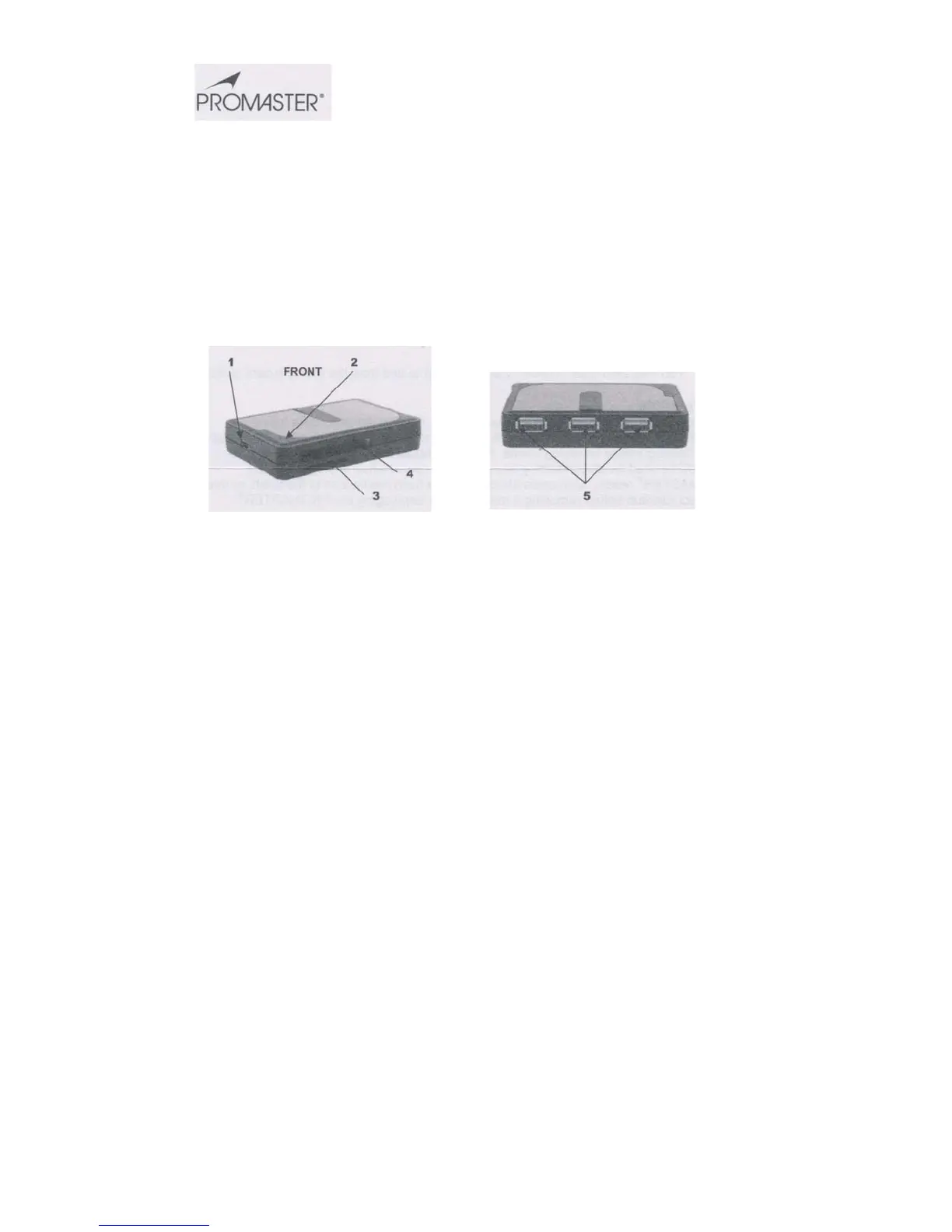
1) Mini USB port - Connects to computer
2) Confirmation indicator lights
3) Card slot for Secure Digital (SD), Secure Digital, High Capacity (SDHC), Secure
Digital Extended Capacity (SDXC), Secure Digital 2.0, Mini Secure Digital,Micro SD,
xD Picture Card (including Type M), MultiMediaCard (MMC), RS MMC, Memory Stick,
Memory Stick PRO, Memory Stick Duo, Memory Stick MagicGate and more.*
4) Card slot for Compact Flash Type I, Compact Flash Type II, Compact Flash/UDMA, &
IBM/Hitachi Microdrive
5) High speed USB 2.0 ports for USB Flash Drive and other USB devices**
*Some cards may require adapter supplied by memory card manufacturer
**Use of devices that require-USB Bus power may not function correctly and should be plugged directly into a USB port on your CPU.
INSTALLATION
The PROMASTER® ALL IN ONE Universal Memory Card Reader and USB Hub is plug and
play compatible and does not require installation of any drivers when used with Windows 7,
Vista, XP or 2000 or with MAC OS 9.0 or higher.
1. Insert the mini USB plug from the supplied USB cable into the card reader (1)


 To Next Page
 Loading...