English
Operation Instructions:
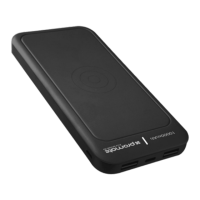
Checking the remaining power left in AuraPack-10 back-up battery
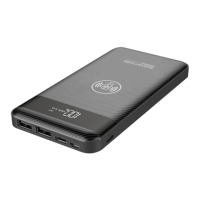
1. To view the remaining power left, press the power button once and view
the LED Battery Level Display
Charging AuraPack-10 back-up battery
• Connect one end of the Lightning Cable to AuraPack-10 and the other end to a
desktop/laptop or a USB Power Adapter. The Battery Level LED display will indicate
“IN” that shows the back-up battery is charging normally.
• Connect one end of the Micro-USB Cable to AuraPack-10 and the other end to
a desktop/laptop or a USB Power Adapter. The Battery Level LED display will indicate
“IN” that shows the back-up battery is charging normally.
• Connect one end of the USB-C Cable to AuraPack-10 and the other end to
a desktop/laptop or a USB Power Adapter. The Battery Level LED display will indicate
“IN” that shows the back-up battery is charging normally.
Charging USB chargeable devices using the USB Port
• Plug the USB cable into the USB output port on AuraPack-10 back-up battery
and the other end into the device.
Charging USB chargeable devices using the Wireless Charger
• Place your Qi-enabled device on the Wireless Charging Area ensuring your
device is properly aligned with the charging coil.
• Your device will now automatically begin charging.


 To Next Page