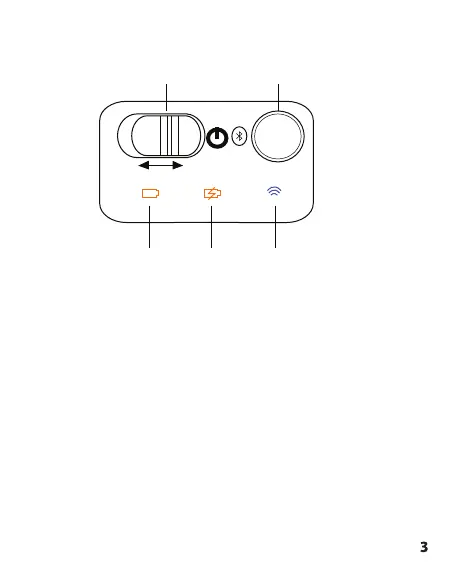
2. Appearance and Interface Descripon
No. Name
1 Bluetooth™ status indicator: Blue LED will light up when
on pairing mode.
2 Power switch: Toggle switch to turn the Bluetooth™
keyboard ON or OFF.
3 Power Indicator: The LED light will go ON when the
baery is Almost run out.
4 Charging indicator: Orange LED will light up when
charging the Bluetooth™ keyboard.
5 Pairing buon: Press to enter the keyboard on pairing
mode
ON OFF
143
2 5



 To Next Page