TV SETUP
21
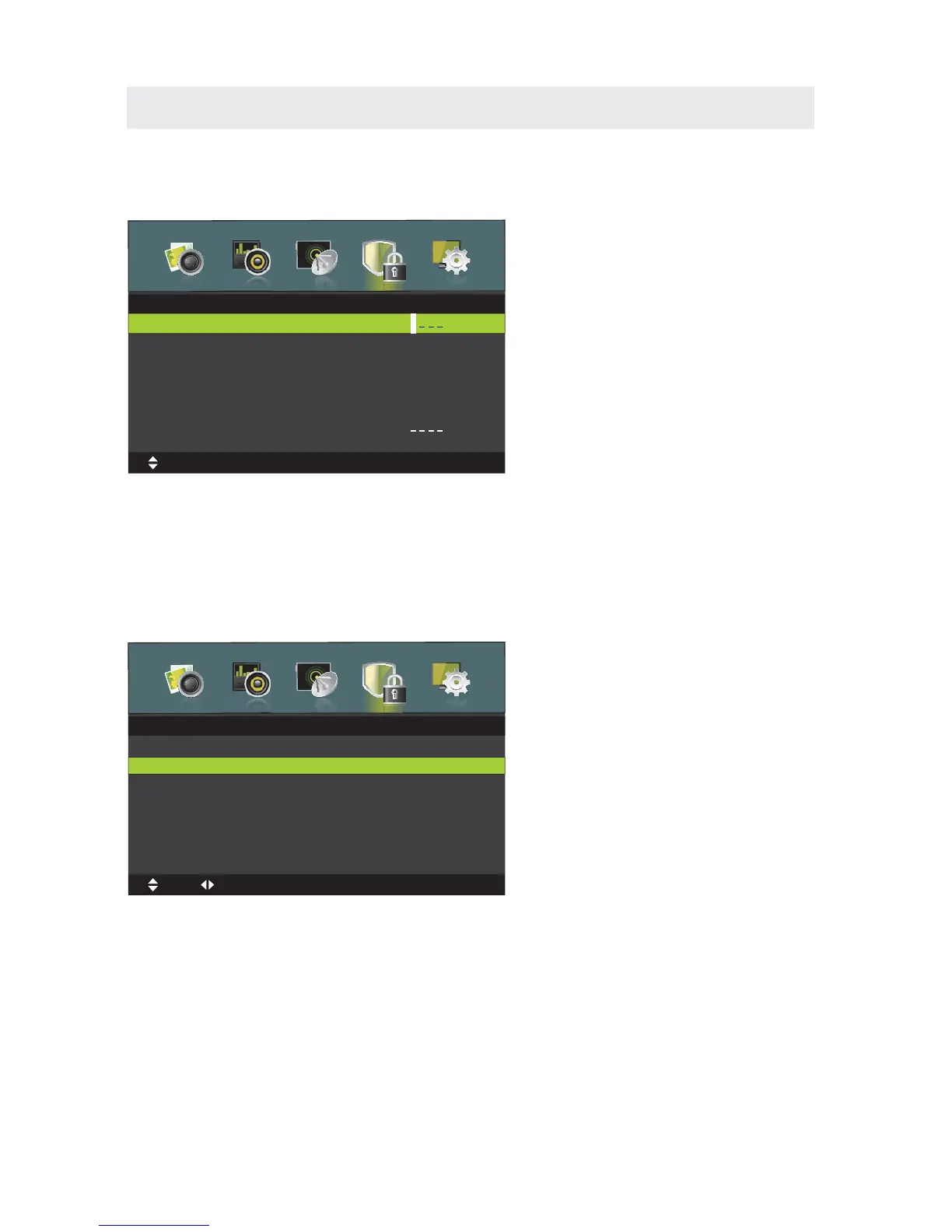
Press MENU button to display the main menu.
Press ◄ / ►button to select LOCK SYSTEM in the main menu,it will highlight the first option.
LOCK SYSTEM MENU
ENTER PASSWORD
.
ENABLE
This feature is used to enable the following options.
Press ◄ / ►button to select On or Off.
CHANNEL LOCKS
Parental Rating and Lock Keypad are available when Enable is On.
Press ▼ button to select Enter Password,then press “0000” for the lock password
Lock System
Enter Password
Enable
Channel Locks
Parental Rating
Lock Keypad
New Password
Clear Lock
Off
None
Off
MENU:Return
EXIT
:Exit
Move
0~9:Input
Hotel mode
PARENTAL RATING
Press ▼ / ▲ button to select Parental Rating , then press ◄ / ► button to select.
LOCK KEYPAD
Key features of this option is used to turn on or turn off the TV.
When opened, the TV button has no effect.
When turned off, the TV key role.















 To Next Page