Need help?
Do you have a question about the Protek RC Prodigy 680 and is the answer not in the manual?
Visual guide for connecting the charger in balanced charging, storage, and discharge modes.
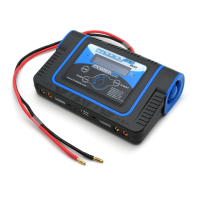
Identifies key external ports: DC input, USB, and balancer connectors for the charger.
Explains using arrow keys to scroll through menus and select functions like battery types and modes.
Details balancing individual Lithium battery cells using the charger's balance function.
Details settings for charging, discharging, and cycling NiMH and NiCd batteries.
Explains setting up and performing charging and discharging for Pb (Lead Acid) batteries.
Details setting up and operating the charger in Digital Power mode for DC output.
Guides through User Setup for configuration and performing a factory reset.
Explains settings for charging, discharging, and storing Lithium batteries (LiPo, Li-Ion, LiFe).
 General
| Charge Current | 0.1-8.0A |
|---|---|
| Discharge Current | 0.1-2.0A |
| Charge Power | 80W |
| Discharge Power | 10W |
| Balance Current | 300mA/cell |
| Number of Cells | LiPo/LiFe/LiIon/LiHV: 1-6 cells, NiMH/NiCd: 1-15 cells, Pb: 2-20V |
| Memory Channels | 10 |
| Input Voltage | AC 100-240V |
| Battery Types | LiPo, LiFe, LiIon, NiMH, NiCd, Pb |
| Display | LCD |
| Cooling System | Built-in Fan |


 To Next Page