English
13
USB Common Operations
Pausing play
1. Press the
[ ]
button to pause play. “PAUSE”
is shown in the display.
2. To resume USB play, press the
[ ]
button
again.
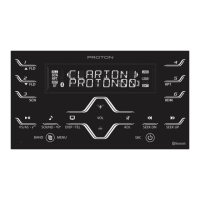
Display selection
1. You can choose the display type for USB by
pressing the
[DISP]
button. To select the next
type, press the same button again.
USB mode:
Main Display (File Name) Folder Name
Title Name Artist Name Album Name
Clock Display Main Display...
where Track, Folder, Title Tag, Album Tag and
Artist Tag are called Title Display.
Note:
• USB will have different functionalities in some cases.
Please read carefully where differences applied.
Note:
• Each of the items in Title Display will dis-
play “FILE”, “FOLDER”, “TITLE”, “ARTIST” or
“ALBUM” respectively for 2 seconds before showing
related title information.
Title display
1. If a MP3/WMA/FLAC le encode with ID3 TAG
header but no consist of any TAG information,
the following will be displayed respectively.
“NO ALBUM NAME” for Album Tag
“NO ARTIST NAME” for Artist Tag
“NO SONG NAME” for Title Tag
Note:
• The folder name will be displayed as “ROOT” which the
le allocates in the root folder.
• For MP3, it supports ID3 Tags V2.4/2.3/2.2/1.1/ 1.0.
• The MP3 player decodes each le ID3 TAG ver. 2 by
default, if ID3 TAG ver. 2 is unavailable, ID3 TAG ver. 1
will be decoded.
The arrangement is shown below.
File
Folder
Title
Artist
Album
Clock Display
2 Sec
2 Sec
2 Sec
2 Sec
2 Sec
2 Sec
(Finish)Info
Info (File/Folder/Title/Artist/Album)
Info (Further)


 To Next Page
 Loading...