28
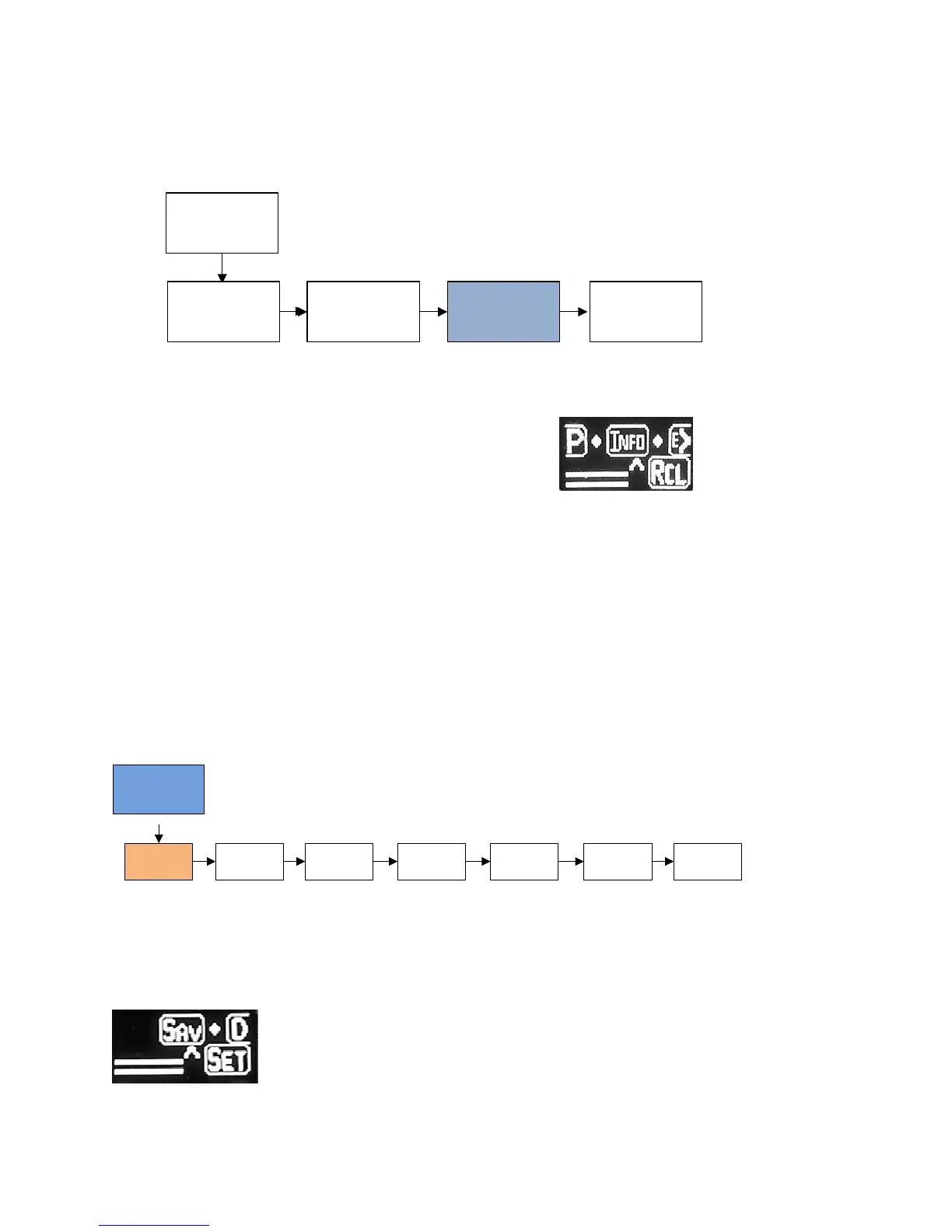
Info
信息
RCL
调用
4 Button Presses
连按4下
Info
信息
Exit
退出
SET
设置
The Info icon provides additional information about
your device.
信息图标提供了关于本设备的额外信息。
Ver = the version of your software
Ver = 软件的版本
SN1, SN2, SN3 - This is the digital serial number of your device.
The combined three sets of digits creates the full serial number.
SN1,SN2,SN3 - 本设备的数字序列号。
这三个数字的组合构成了完整的产品序列号。
DIS
显示
LED
BOOST
增强
SAV
保存
SET
设置
Cigarette
Counter
香烟计数器
Back Arrow
后退箭头
Exit
退出
When selecting SET, this will take you into the menu options where you can adjust the master settings for the
device.
当选择 SET(设置)后,会显示多个菜单选项,供您调节设备的主要设置。
Sav (Save) – Save allows you to save a user specific profile.
Sav(保存) - 保存允许您保存用户特定的配置文件
A profile consists of all of the unique settings in use on the device
at a particular time.


 To Next Page