31
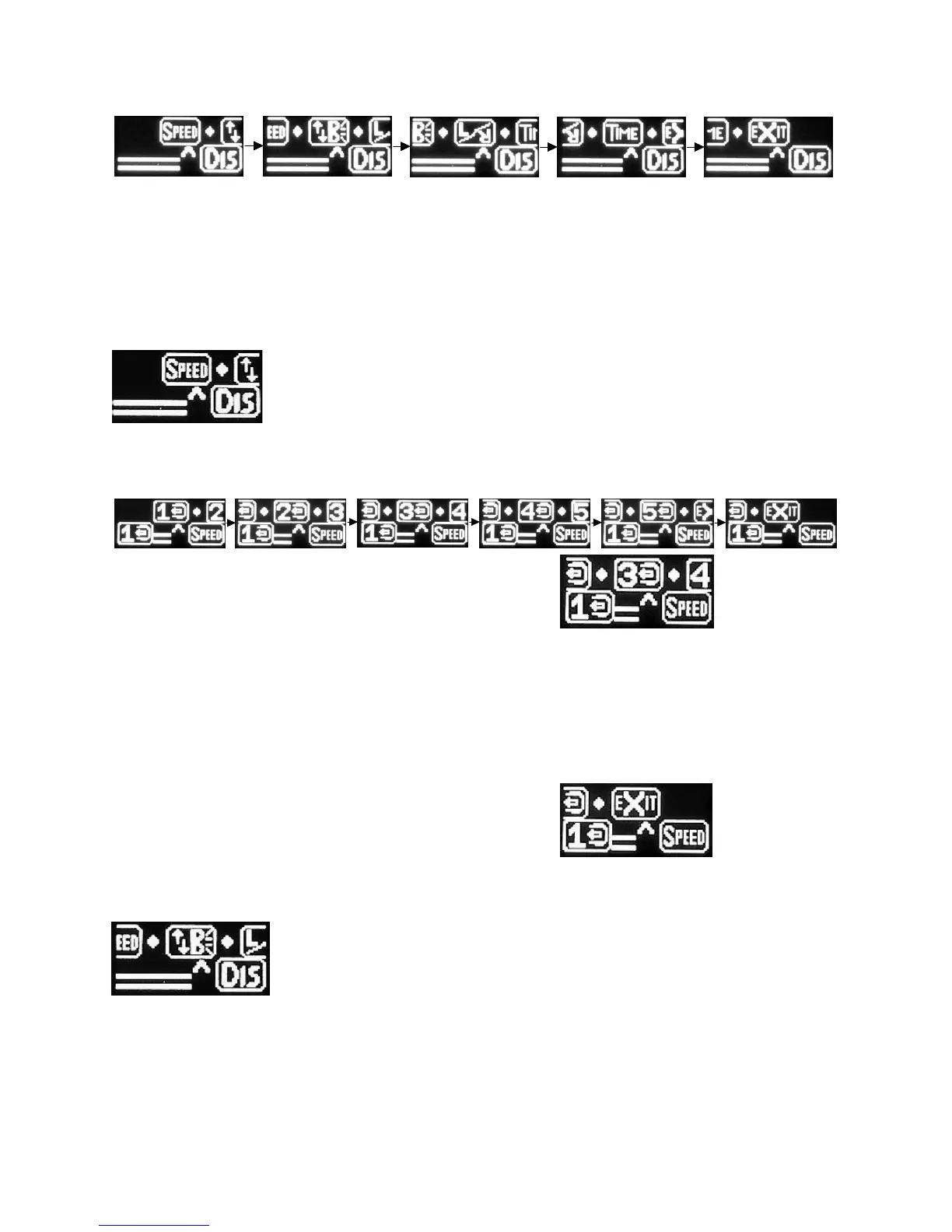
The icons for Scroll Speed, Display Brightness, Display Right/Left mode and Check All screen Time (time
duration) will scroll on the screen.
滚动的图标包括:滚动速度,显示亮度,左右手显示,检查全部的显示持续时间。
The menu will scroll twice before automatically exiting the menu system.
菜单在滚动两次后会自动退出菜单系统。
Scroll Speed - This section allows you to adjust the speed of the scrolling menu.
滚动速度 - 该选项允许您调节菜单的滚动速度。
When entering this menu area, you will be presented with speed selections 1 through 5.
进入这个菜单后,会出现五个速度选项:1 - 5。
Each time you press the button to select a number, the
display will scroll faster or slower depending on what setting
you have selected.
每按一下按钮选择数字后,显示屏的滚动速度会根据您的选
择相应地变快或变慢
In this example, the unit is set to Scroll Speed # 1 which is
the slowest speed. If we were to select # 3 the screen would
begin scrolling faster.
示例中,滚动速度设置为#1,是最慢的速度。
如果我们选择#3,屏幕会更快地滚动。
Once you are happy with the scroll speed, select Exit to
save.
调到满意的滚动速度,选择 Exit(退出)来保存。
B (Brightness) – This will change the brightness of the display.
B(显示亮度) - 这个设置可以改变屏幕的亮度。
When entering this menu area, you will be presented with brightness selections 1 through 5.
进入这个菜单后,您会看到亮度的选择是从 1 到 5。


 To Next Page