ENGLISH
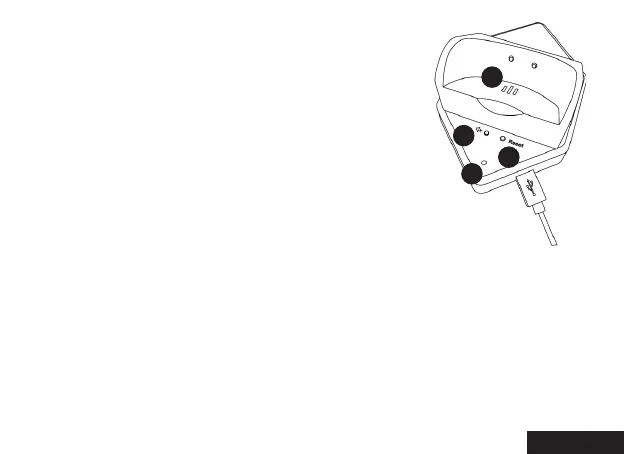
Charging Base with Bluetooth Dongle
1: Outer ringer speaker holes
2: Switch Button for outer ringer
3: Reset button
4: Status indicator
The Bluetooth headset and charging base will automatically pair and work
immediately once the charging base is connected to the PCs USB port.
1. Connect the USB cable to PC.
2. Turn on Bluetooth headset. The LED indicator on base will flash red
and blue alternately, which indicates the adapter is in pairing mode.
3. When pairing is successful, you will hear prompt tone “connected”.
Pairing Headset and Charging Base
2
1
4
3


 To Next Page