3
Operation Instructions
1. Open the lid and fill the stainless steel tank with water. For better cleaning, use PSI’s Ultra Clean
solution (Part #2124G)
WARNING: running without water may damage unit!
2. Placeitemtobecleanedintothewater.Thewaterlevelwiththeitemsubmergedshouldnot
exceedthe“MAX”markorbelessthanthe“MIN”mark.
3. Plug the unit in. 180s is displayed automatically in the digital display.
4. Pressthe“SET”buttontochooseacycletime.Thereare5timestochoosefrom(inseconds);
180S, 280S, 380S, 480S and 90S. 180S is the most common cycle time.
5. Pressthe“ON”buttontostartcleaning.Theredindicatorlightwillcomeon.Youwillheara
slight buzz while the unit is working.
6. Whenthecycletimehaselapsed“000”willbeonthedisplayandtheunitwillautomatically
stop and the red indicator light will turn off.
Ifyouwanttostoptheunitduringacleaningcycle,pressthe“OFF”button.Pressthe“ON”
button to resume the cycle.
7. When finished cleaning, unplug the unit and open the lid and take the item out. Remove the
water form the stainless steel tank and wipe dry with a towel.
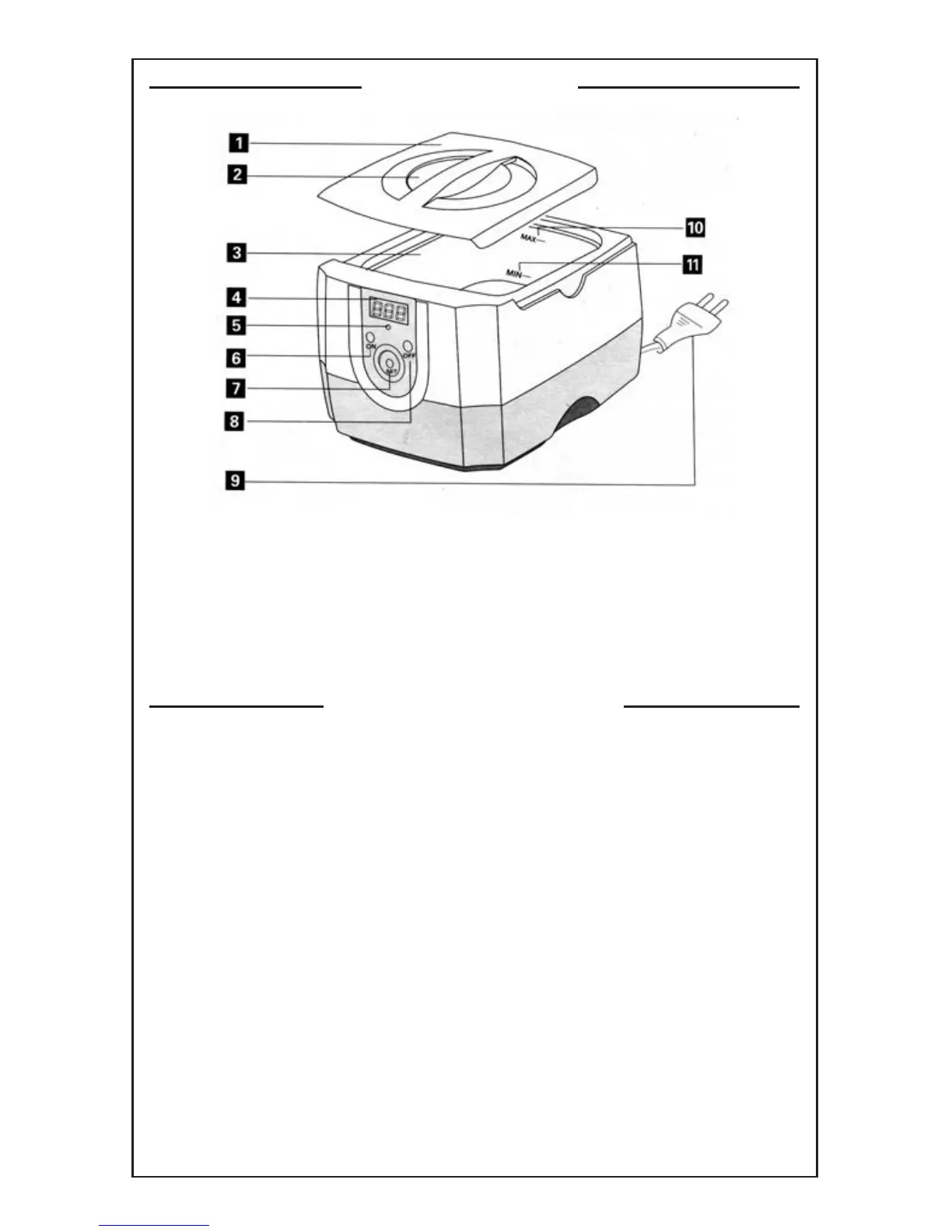
Product Drawing
1. Lid
2. View Window
3. StainlessSteelTank
4. Digital Display
5. IndicationLight
6. “ON”Button
7. “SET”Button
8. “OFF”Button
9. Plug and Cord
10.“MAX”Mark
11.“MIN”Mark


 To Next Page
 Loading...