Puradigm Technology Cell Replacement
IfyouneedtoreplaceyourPURADIGMTechnologyCell(thatisno
longerunderwarranty)foranyreasonyouwillneedtocontactyour
dealertopurchaseanewone.
IfyourPURADIGMTechnologyCellishavingproblemsandisstill
underwarranty,pleasecontactyourDistributionagentfor
maintenanceorreplacementoptions.
UnplugyourunitbeforereplacingyourPURADIGMTechnology
Cell.
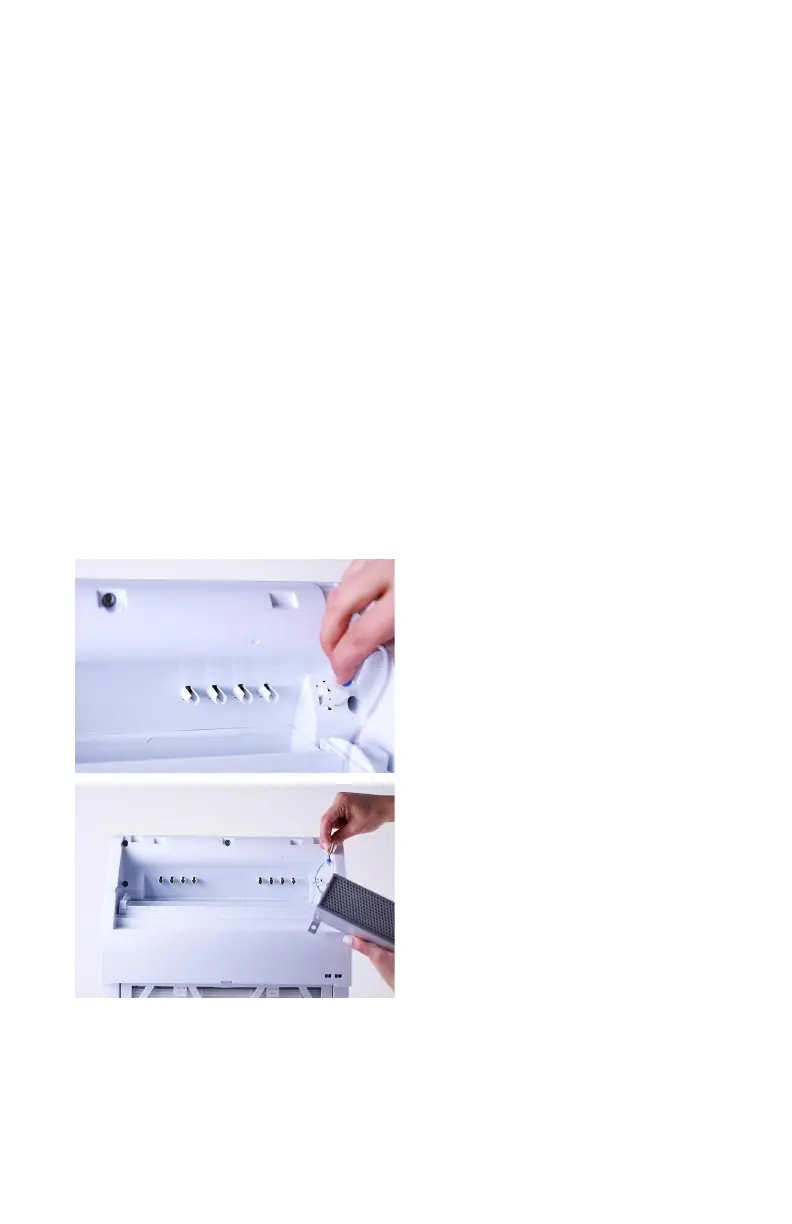
GentlyremovethePowerCablefromyouroldPURADIGM
TechnologyCellandplugitintoyournewone.
Oncethepowercableisinstalled,placethePURADIGM
TechnologyCellintoitsprovidedspaceabovethefan.The
©2014PURADIGM 15


 To Next Page