
 Need help?
Do you have a question about the Purafil ONGuard 4000 and is the answer not in the manual?
Instructions on powering the unit using batteries, external DC voltage, or Power over Ethernet.
Details on the four 4-20mA current outputs for Copper, Silver, Temperature, and Humidity.
Guidance on connecting the ONGuard 4000 to a local area network via Ethernet.
Instructions for establishing a direct Ethernet connection from a PC/MAC to the ONGuard 4000.
 General
| Data Logging | Yes |
|---|---|
| Display Type | LCD |
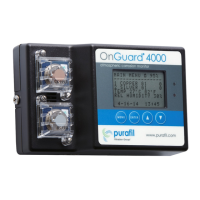
| Model | ONGuard 4000 |
| Detection Principle | Electrochemical sensors |
| Accuracy | ±5% of reading |
| Alarm | Yes, visual and audible alarms |
| Communication | RS-485, Modbus |
| Power Supply | 100-240 VAC, 50/60 Hz |
| Operating Temperature | 0 to 50°C (32 to 122°F) |

 To Next Page