www.PyleUSA.com
3
4. Operate your PUCRC660 via APP
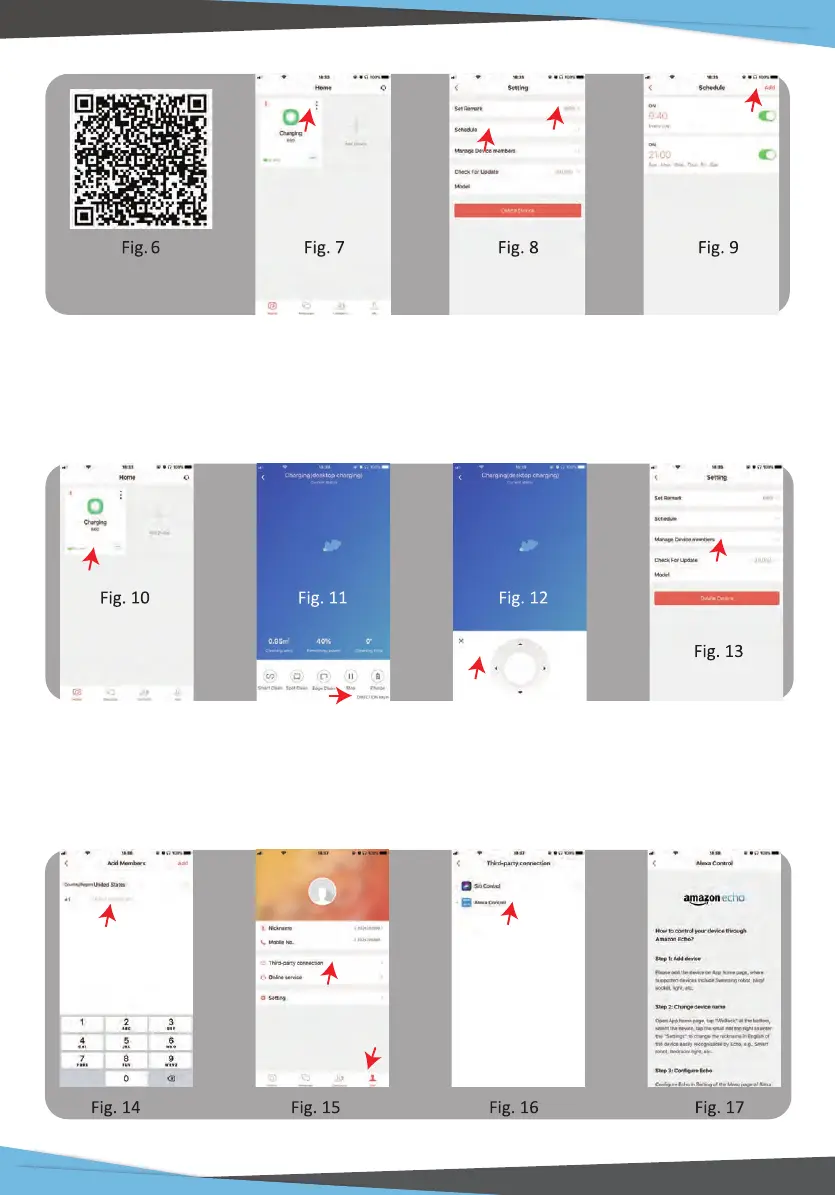
Tap the device area [Fig. 10] to enter APP main interface. From this interface you
can choose dierent cleaning modes, also to check the cleaning process/status.
Tap DIRECTION KEY [Fig. 11] to enter Direction Control Panel [Fig. 12]
5. Share your EXVAC660
You may share your PUCRC660 with your family members. Please be sure that
they have registered weback ID already. Tap MANAGE DEVICE MEMBERS [Fig. 13],
add your family member's ID/Cellphone number [Fig. 14], and follow instructions
of the APP accordingly.


 To Next Page