To Distinguished Users:
Thanks for trusting and choosing our laptop battery. In order to avoid
damage to the battery or laptop caused by incorrect operation,please
read the manual carefully before installing the new battery.
Installation Precaution
Before Installation:
Remove the original battery carefully - Unplug the adapter first and
shut down the laptop. Open the back cover to remove the old battery
gently. (Some batteries removal needs adhesive remover which needs
to be purchased separately.)
Search for installation video on YouTube -The battery installation is a
little difficult, it's recommended to watch the related installation video
before proceeding. "If you can not find the installation video,please
contact us by email."
When Installation:
Watch out for the nickel strips The nickel strips connecting the battery
cel is very fragile, please install it carefully. Do not install the battery with
excessive deformation or the nickel strip will break, which may cause the
battery to short circuit and swell. For this reason, we special y added a
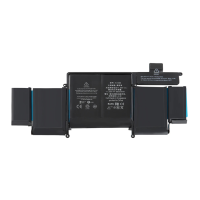
protective film on the front of the battery. This protective film can only
be removed after the battery is fixed.
Fix the battery first, then install the connector tightly Please align the
connector carefully. Don't be too violent to avoid damaging the battery
pins. Ensure that the battery ports are in good contact and tightly
connected.
O After Installation:
Charge it for 5 minutes first, then turn on the computer - Don't install the
back cover until the battery is working properly. If the battery doesn't
work, please reconnect the connector and charge it for 5 minutes.
Fully charge the battery for the first time When using a new battery for
the first time, please fully charge the battery before using it.


 To Next Page
 Loading...