Using the CMX
For best results charge the CMX before use.
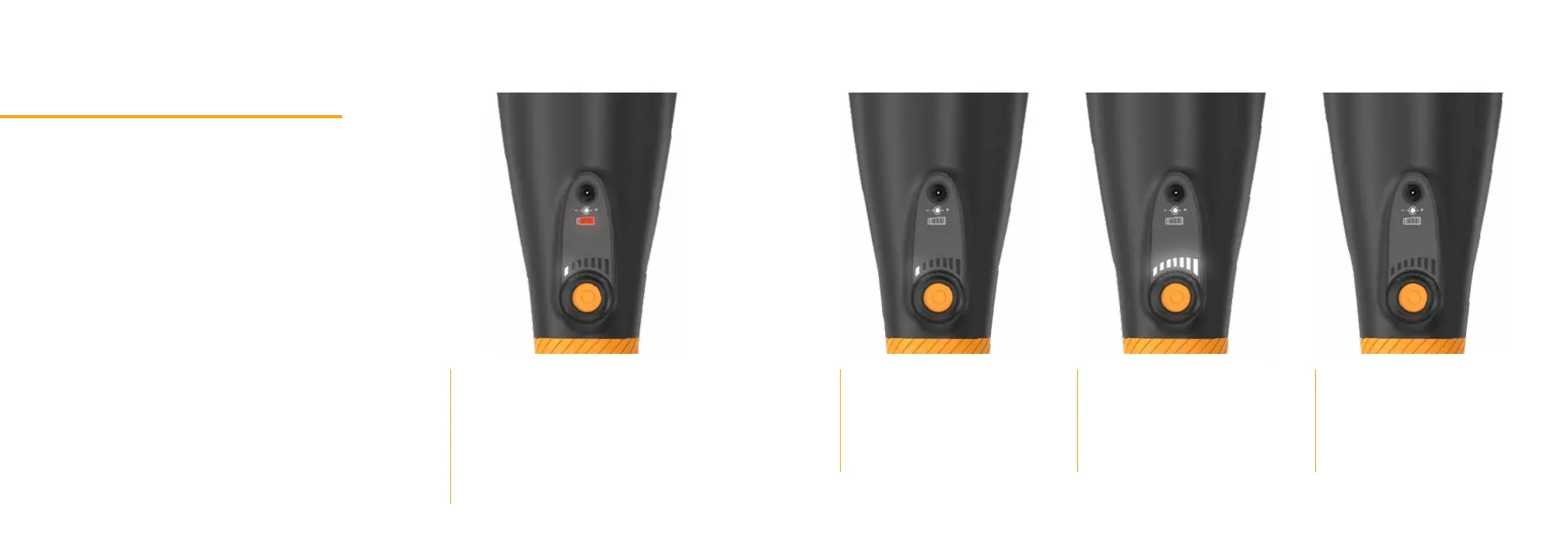
Insert charging cable into the port on the top
of your device.
Plug the charger into an outlet. The red baery
indicator light will turn on to begin charging.
The intensity meter below the red light will
indicate baery charge. When the power
meter is fully lit up, the CMX is fully charged.
Press and hold the power
buon to turn on the CMX.
Use the dial around the power
buon to adjust percussion.
White LED lights will now
indicate intensity level.
Press and hold the power
buon to turn o the CMX.
* Note: There is a 15 minute automatic shut-off for safety. If you need to use it longer, just power it back on.


 To Next Page