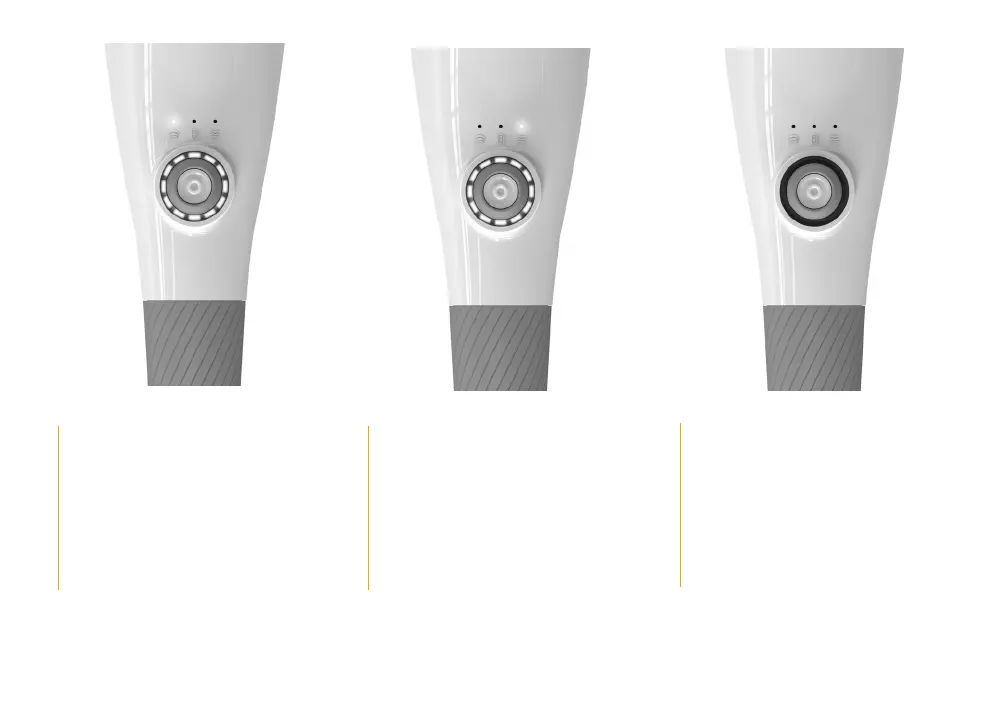
Press and hold the power button to
turn on the Gen II to percussion mode.
When
first turned on, the white LED
lights
will display.
Use the dial around the power button
to adjust percussion mode speed.
White LED lights will now indicate
speed level.
Press the power button a second
time to select vibration mode.
Use the dial to adjust vibration mode
speed. White LED lights will indicate
speed level.
To alternate between percussion
and vibration mode, press the
power button at any time.
Press and hold the power button
to turn o the Gen II.
* Note: There is a 15 minute automatic shut-off for safety. If you need to use it longer, just power it back on.


 To Next Page