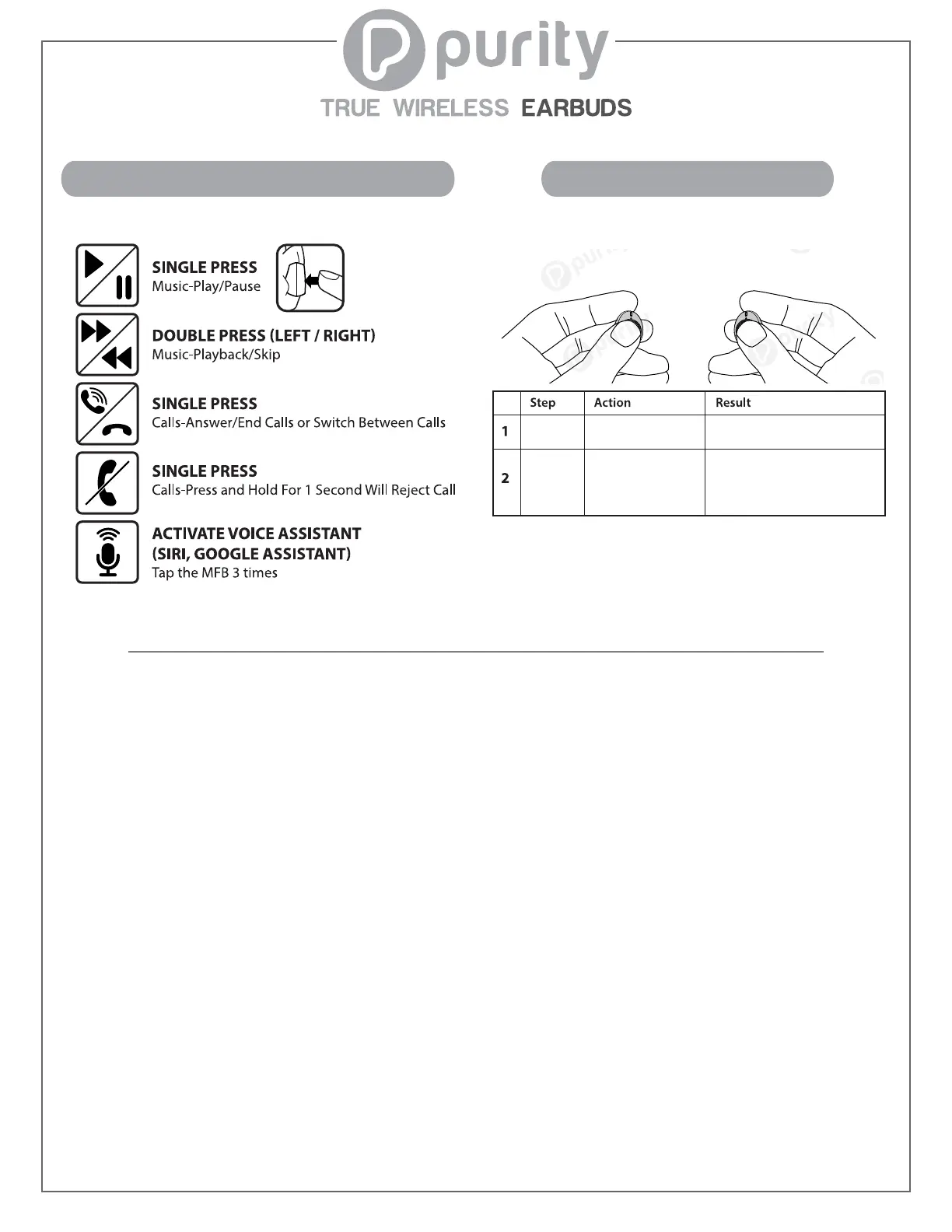
Perform a Factory Reset to clear pairing history.
The LED Lights will turn on,
continue to blink repeatedly, and
eventually stop. The Earbuds are
RESET and Powered OFF.
LED Lights will blink signalling
the Earbuds are OFF.
Hold MFB buttons
for 10 - 15 seconds.
Hold MFB buttons
for 3 - 4 seconds.
Turn Off
Reset
Factory Reset
FAQ
Q: What if I cannot find “Purity One” in the Bluetooth Page?
Reason 1: Earbuds are paired to another device.
Solution: Turn OFF Bluetooth on the mistaken devices to disconnect the Earbuds. Then, pair
to your preferred device.
Reason 2: Earbuds reached 0% battery life.
Solution: Place both Earbuds into Charging Case and close it. Then, charge Earbuds for 5 mins.
If Charging Case has low battery, use Micro USB Cable to charge it as well.
Reason 3: Earbuds are OFF.
Solution: Press and hold MFB’s for 3-4 secs. to turn ON the Earbuds.
Q: Why won’t the Left and Right Earbud synch? Why is sound only emitting from one Earbud?
What if there are 2 “Purity One” choices on the Bluetooth page?
Solution: Complete the following process: Turn OFF Earbuds (hold MFB’s for 3-4 secs.). Turn
ON Earbuds (hold MFB’s for 5 secs.). Voice prompt will say “Pairing”. White & Red LED Lights will
flash slowly. Double tap MFB’s (both L/R). LED Lights will flash faster. Once LED Lights flashing
slows, the synching process is complete.
Using The Multi-Function Button
Page 2/2


 To Previous Page
 Loading...