Connect with PC
Step I Please connect the pedals and shifter according to user needs before using.
step2
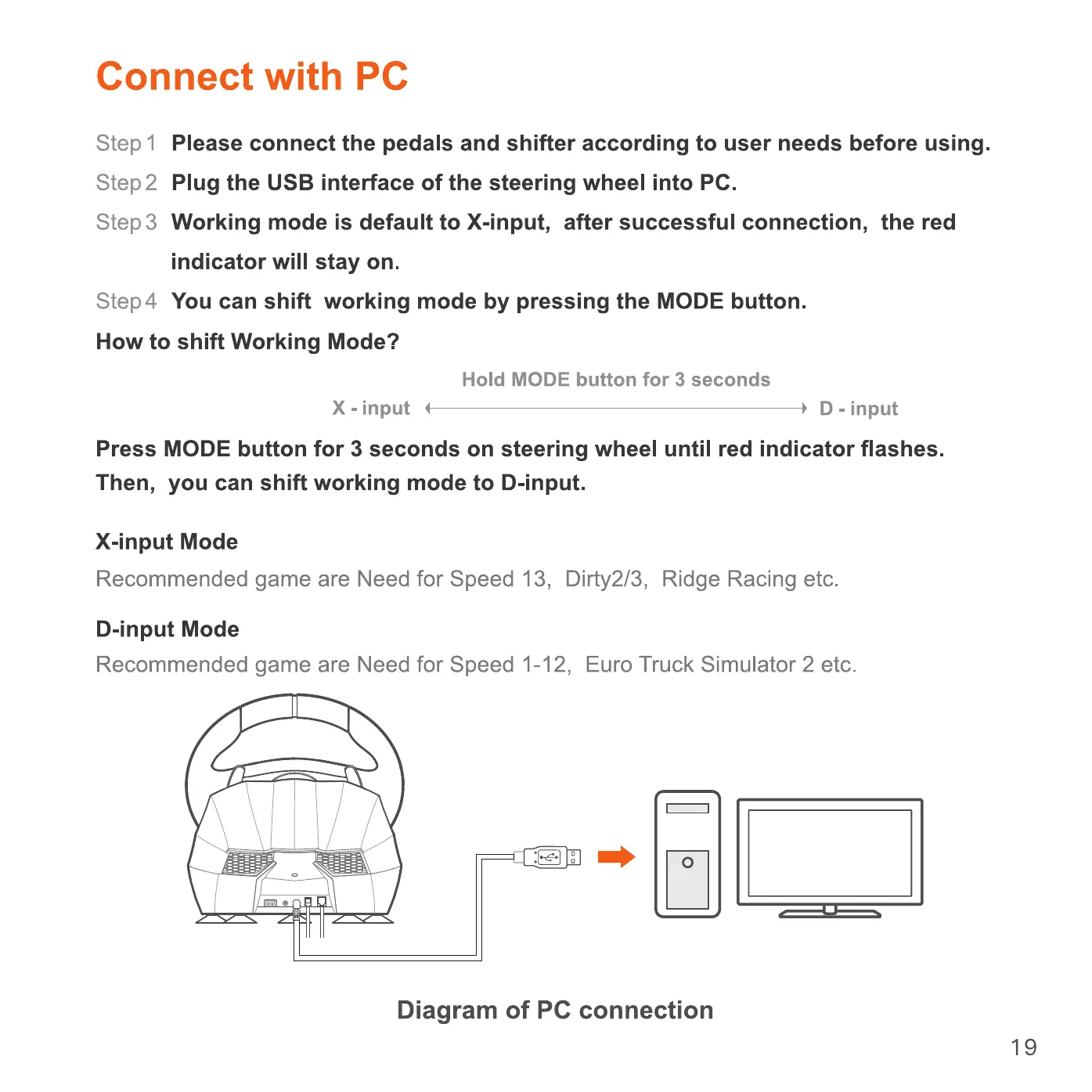
Plug the USB interface of the steering wheel into PC.
step 3 Working mode is default to X-input, after successful connection, the red
indicator will stay on.
Step4
You can shift working mode by pressing the MODE button.
How to shift Working Mode?
X - input
Hold MODE button for 3 seconds
D - input
Press MODE button for 3 seconds on steering wheel until red indicator flashes.
Then, you can shift working mode to D-input.
X-input Mode
Recommended game are Need for Speed 13, Dirty2/3, Ridge Racing etc.
D-input Mode
Recommended game are Need for Speed 1-12, Euro Truck Simulator 2 etc.
Diagram of PC connection
19


 To Next Page