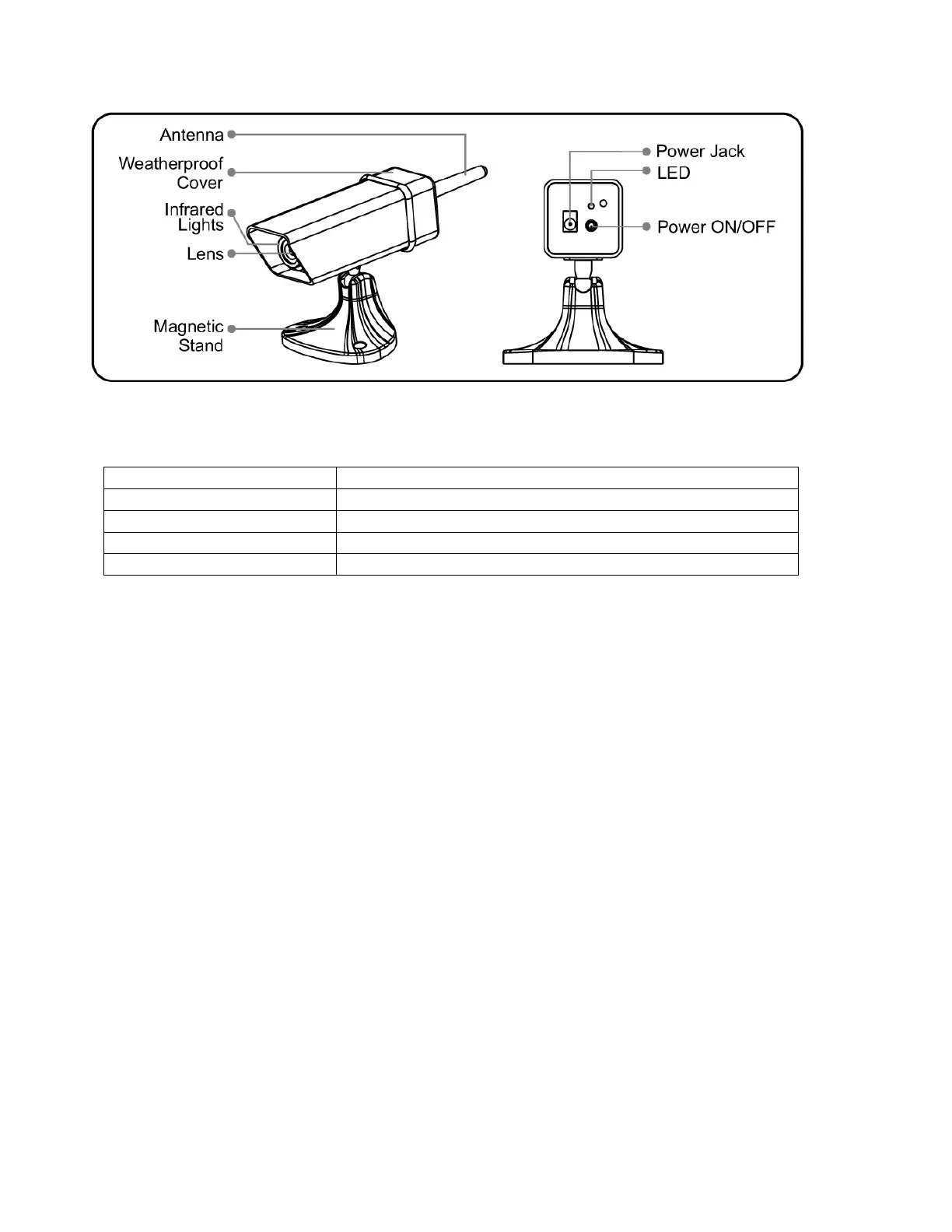
Camera
Ca
mera Indicator Lights
Charging when Powered off
Power off (disconnect with cigarette lighter)/Finish Charging
Cha
rging the Camera and Receiver
1. Load a Li-battery to the battery compartment with its polarities matched.
2. Connect the camera/receiver with auto cigarette lighter by the "Y" shaped charging cable. Your camera and
receiver are being charged. A full charge will take about 2.5 hours for camera and for receiver respectively.
3. The camera can work during charging. Press the Power ON/OFF button to power on (or turn off) the camera, then
you can use it.
4. The receiver can also work during charging. Press and hold the Power ON/OFF button for about three seconds to
turn on/off the receiver. When the receiver is powered on, LCD displays reverse the image by default. Pressing
POWER ON/OFF button momentarily can switch between reverse and non reverse image.
Cha
rging Notes & Battery
A full charge will take about 2.5 hours, which can power the receiver for about 4 hours continuously. You are
recommended to have the battery fully charged before its first installation to optimize its life. Do not burn or
disassemble the Li-battery. Do not short-circuit the battery as it may cause fire or electric shock.


 To Next Page
 Loading...