Removing of USB
To remove the USB, turn off the power or switch the function mode to either Phono or Tuner first. For USB port --
unplug it by pulling out the USB socket directly.
Line out connection
You can connect the system to your whole Hi-Fi system by connecting the Line out Socket (25) to the auxiliary input
socket with a RCA cable (not included).
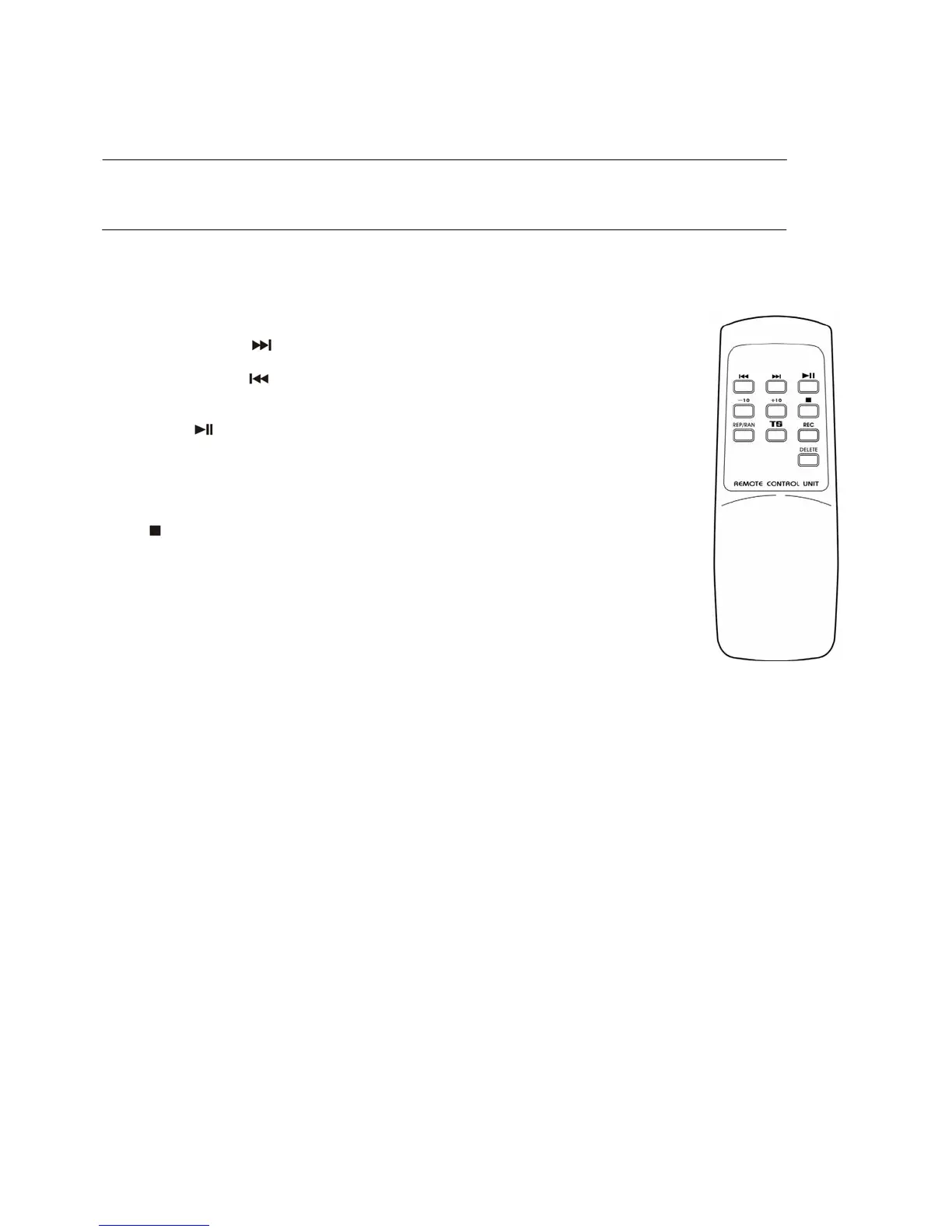
Remote control transmitter
Battery installation (battery not provided)
The Infra-Red transmitter requires 2 pcs AAA size battery for operation.
Button description
1) Skip/Search forward
Press once to skip to next track, press & hold for search
forward
Skip/Search backward
Press once to skip to previous track, press & hold for
search backward
2) Play/Pause
Press once to start to playback. Press again to enter pause
mode
3) +10/-10 In MP3 mode, press to skip 10 track forward or b
ackward
4) Stop
Press to stop playback or cancel the stored program
5) Rep/Ran Press to active Repeat/Random function
6) Track separation Press to divide the recording track at turntable one by one
during
7) Rec Press to active recording function
8) Delete Press and hold few second to delete the current MP3 file
5



 To Previous Page