Need help?
Do you have a question about the Pyle PWMA1050 and is the answer not in the manual?
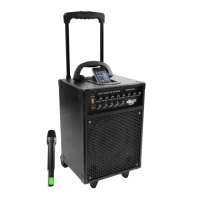
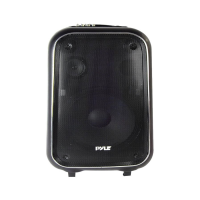
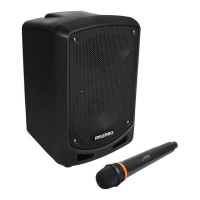
The Pyle PWMA1050 is an 800W VHF wireless portable PA system with echo, designed for various audio applications. This system is equipped with a 10-inch woofer, mid-range speaker, and tweeter, ensuring a full-range sound output. It features a robust design with a metal corner for added durability and a retractable trailer handle and truckle for easy portability.
The PWMA1050 serves as a versatile public address system, capable of handling both wired and wireless microphone inputs, as well as various audio sources. It includes a built-in 7AH/12V rechargeable battery, allowing for portable operation without direct AC power. The system can also be powered directly by DC power.
For microphone usage, the device offers one set of wireless microphone input circuits and two wired microphone input circuits, each with independent volume control. The standard accessories include a VHF high-band wireless transmitter and receiver, along with a handheld microphone. The system provides an echo control feature to enhance vocal performances.
In addition to microphone inputs, the PWMA1050 supports multiple audio sources. It includes a guitar input function, an audio input, and an iPod/MP3 input with a dedicated iPod dock. This allows users to connect instruments, external audio players, and mobile devices for playback.
The system features treble and bass controls, enabling users to adjust the audio output to their preferences. A voltage selector switch is also included, allowing the device to be adapted for use in different countries with varying power standards.
To operate the PWMA1050, users first need to confirm the power source. If using AC power, ensure the voltage matches the specified one on the label to prevent damage. For portable use, the built-in rechargeable battery allows for direct operation without AC power, provided the battery voltage is sufficient. A low voltage indicator will illuminate yellow when the battery needs charging and will turn off when the voltage is standard. It is recommended to charge the battery for 8-10 hours every two months if the unit is not used for a long time.
For initial setup, plug the power cable into a socket and connect it to the amplifier system. Switch on the amplifier, and the power indicator will turn red. During charging, the RECHARGE indicator will be red and flash as the battery approaches full charge, eventually turning off when fully charged. The system allows for simultaneous music playback while charging, with the RECHARGE indicator flashing to show the charging speed, which is proportional to the music volume.
When using the wireless handheld microphone or bodypack transmitter, insert two AA 1.5V batteries. Push the power switch to the middle position; the power indicator will flash once, and the RF indicator will turn green, indicating the speakers are quiet. To use the wireless microphone, push its power switch to the ON position. Your voice will then be heard through the amplifier. Adjust the wireless microphone volume control, echo control, treble control, and bass control to achieve the desired sound and prevent feedback. If the microphone's power indicator remains on constantly, it signals low battery, and the batteries should be replaced.
For wired microphones, two input jacks are provided for simultaneous use. Plug the wired microphones into their respective jacks. Adjust the echo control for better sound and the volume of each microphone to ensure satisfactory audio.
To connect a guitar, use the appropriate cable and plug it into the guitar input jack. Similarly, for other audio sources, use the audio input or the iPod/MP3 input jack. The iPod dock allows for direct integration of iPods or MP3 players.
Proper maintenance is crucial for the longevity and optimal performance of the PWMA1050. Always use the correct power source as specified; using any other power source can damage the unit. When disconnecting the power cable, always pull the plug itself, not the cable, to avoid damage.
Users should never attempt to open the chassis or put their hands inside, as this is extremely dangerous. If the device is not functioning normally, immediately unplug it and contact your retailer or the nearest distributor for assistance.
For cleaning the surface of the device, avoid using volatile solvents such as toluene, alcohol, or gasoline, as these can damage the finish. Instead, use a soft, dry cloth.
To prevent overheating and damage, do not place the unit in an unventilated environment or under direct sunlight, especially during summer. It is also important to protect the device from moisture and rain.
The built-in rechargeable battery requires specific maintenance to ensure its efficiency. If the device is used regularly, the battery should maintain itself. However, for infrequent use, it is best to charge the device every two weeks by plugging it in until it is fully charged. This practice helps to preserve battery life and performance.
 General
| Speaker Size | 10 inches |
|---|---|
| Frequency Response | 40Hz - 20kHz |
| Bluetooth | Yes |
| Speaker Type | Active |
| Woofer Size | 10 inches |
| USB/SD Card | Yes |
| Power Output | 1000W |
| Microphone Inputs | Yes |
| Impedance | 4 Ohm |
| Inputs | AUX, USB, SD Card |
| Tweeter Size | 1 inch |


 To Next Page