INSTRUCTION MANUAL
LOCATIONS OF CONTROL
1. HR / MONTH
2. MIN / DATE
3. 12HR / 24HR / YEAR
4. LOCK / TIME SET / CALENDAR
5. °C / °F
6. RESET
Specifications
•Weather forecast and indoor temperature .
•Centigrade or Fahrenheit readout.
•Hour and minute display.
•12 or 24-hour format.
•Calendar with day-of-the-week
display from July 1, 1997 to
December 31, 2039.
•Battery life: approximate 1 year.
(with alkaline batteries)
•Operating temperature from 0°C to 40°C (32°F to 104°F)
•Temperature measuring range from -50°C to 70°C (-58°F to 158°F)
•Temperature resolution 0.1°C (0.2°F)
Getting Started
Insert the batteries
•Open the battery cover of the Weather Forecast Station.
•Insert batteries in proper polarity (+) and (-) as indicated.
•Close the battery cover.
Notes: Do not use old batteries or different types of batteries together.
Wall mounting or using the stand
Wall mounting
•You can mount your Weather Forecast Station on a wall using a
screw (not included) that fits into the keyhole slot on the back of
the Weather Forecast Station.
•Drive the screw into the wall until the head extends about 1/8 inch
from the wall, then locate the keyhole slot over the screw head
and slide the Weather Forecast Station down to make it secure.
WEATHER FORECAST STATIONWALL
70°
Using the Stand
•To place your Weather Forecast Station on a flat
surface, pull down the built in stand away from
the back of the Weather Forecast Station.
M ON T H D A T E T E M P
W E A T H E R S T A T IO N
D IG I T A L C L O C K
MIN
12/24HR
HR
TIME SET
LOCK
C
F
RESET RE-SYNC
MIN 12/24HR
HR
TIME SET
LOCK
C
F
RESET RE-SYNC
1
5
6
2 3 4
Size: 210mm(W) x 297mm(H) Model D038


 To Next Page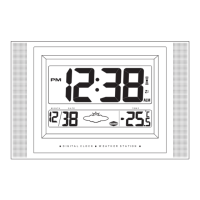


 General