Caution
Risk of explosion if battery is replaced by an incorrect
type,dispose of used batteries according to the instructions
【 note 】 : some third party applications must have access to a TF card to run normally
Management: click on management, into the third party software interface
Click on the icon of the software and put into action interface:
Click on the icon of the software and put into Action (Action) interface:
Start: run the software
Export: export software to TF card
Uninstall: uninstall the software
Cancel (Cancel) : cancels operation
troubleshooting
Device can't boot
1 check the battery power
2 connection power adapter again after inspection
3 if device can not boot during charging, please contact the technical support.
Device powers down after startup
1 power is not enough, please charge
No sound
1 please check whether the volume set to 0
2 check the music file is damaged. Try playing other music to determine. If the file is damaged may lead to serious
noise or hop sounds
Can't copy files or can't play music files, etc
1 check the connection with the PC
2 confirm whether the storage space of memory is full
3 check the usb cable
Hardware configuration
Size: (long x width thick) 244x 192x 10.7 mm
CPU processor speed: Dual core,
1.6 GHz Max Cotex A9 processor with 3D accelerator
This machine capacity: 16GB
Memory: 1GB
Storage card: TF128M-16 G
Screen:
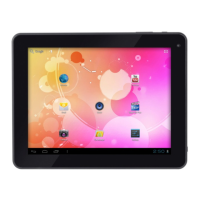
9.7’’ capacitive multi-touch screen
Resolution: 1024*768 pixels
Battery type and capacity: rechargeable polymer battery: 7600MA
USB: high speed USB2.0 OG connecting peripherals
Gravity sensor: 3 D
Support:Bluetooth&Wifi
The tape: built-in microphones head
Software configuration
Operating system: Andriod4.1
Video: MKV (h. 264 HP). AVI. RM/BMVB. FLV. MPEG-1/2
Music: MP3, WMA. APE, FLAC. AAC. AC3. WAV


 To Next Page
 Loading...