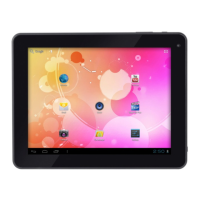
【Note】:All the pictures in this manual is for your reference! no notice will be
released when
specification or appearance is changed!
1.Illustartion of
appearance and button
2.First usage
2.1 battery management and charge
2.2 Connect the PC
3.Operation Model
3.1 Main Model description
3.2 Status bar describe
3.3 The usage of touch screen
3.4 basic setting
3.5 sound and realistic setting ring,inform and screen brightness
3.6 application
3.7 privacy
3.8 device memory
3.9 language and keyboard
3.10 the date and time
3.11 USB mode choice
3.12 APK installer(application installation tools)
3.13 settings
3.14 Play Store
3.15 How to use G-mail
3.16 How to use bluetooth
4.Installation
4.1 basic function
4.2 internet synchronization
4.3 buttons
4.4 labels
4.5 file path
4.6 progress bar
5. Installing the update tool
5.1 steps
5.2 internet synchronization
6.Help
7.Appendix:USB Device Install
8.Limited Warranty
9.Warranty Repairs


 To Next Page
 Loading...