10
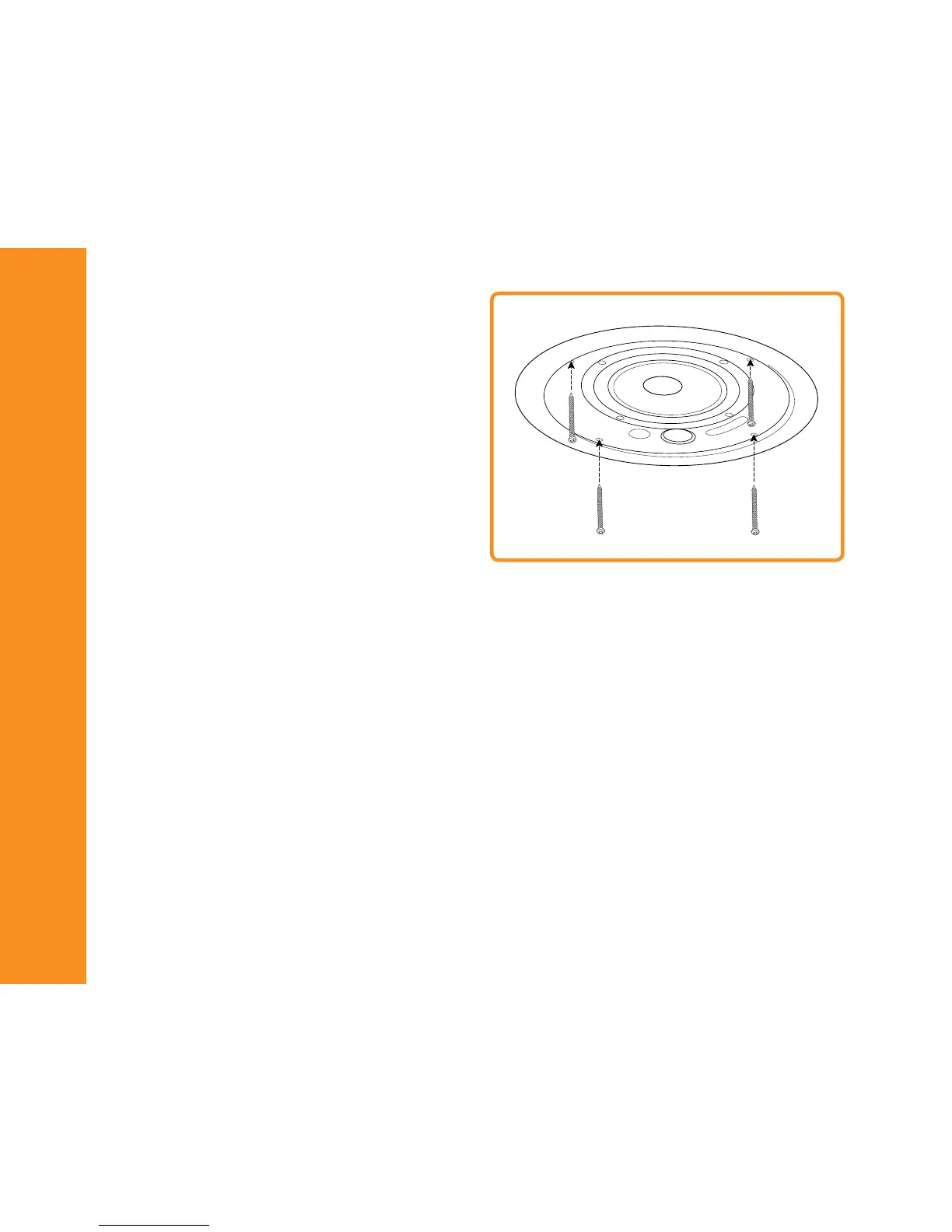
Step 7
Lift the speaker into the opening, then using a screwdriver
tighten each of the four mounting screws in sequence. Turning
the screws in a clockwise direction will cause the mounting clamps
to rotate into position then extend down to clamp the assembly to
the ceiling.
Step 8
Set the correct wattage tap (except C4-16) using the front mounted
rotary power switch. NOTE: The switch is labeled for both 70V
and 100V power taps; ensure you select the correct tap for the
connected amplifier.
Step 9
If the speaker bezel is to be painted, place the supplied clear plas-
tic paint cover over the front. Otherwise, attach the grille restraint
tether by inserting the plastic plug into the hole on the inside of
the bezel and then seat the grille to the bezel by pushing firmly
around the perimeter of the grille.
STEP 7


 To Next Page