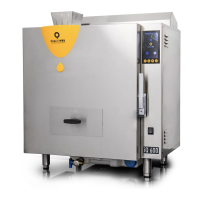
From “Settings” we access the submenus in which we can set
the temperature format (ºC or ºF), the language messages will be
displayed in or the acoustic warning while the scoop is rotating. We
can also enable or disable some of the machine’s probes
To access it we must press “Menu” and then press “Settings” on the
screen. Here we will have the following options:
Settings
Handling and settings
EXPLANATORY VIDEO
This QR code takes you
to the explanatory video
about language settings.
EXPLANATORY VIDEO
This QR code takes you
to the explanatory video
about language settings.
EXPLANATORY VIDEO
This QR code takes you
to the explanatory video
about language settings.
46QUALITYFRY 46QUALITYFRY


 To Next Page
 Loading...