1 Introduction
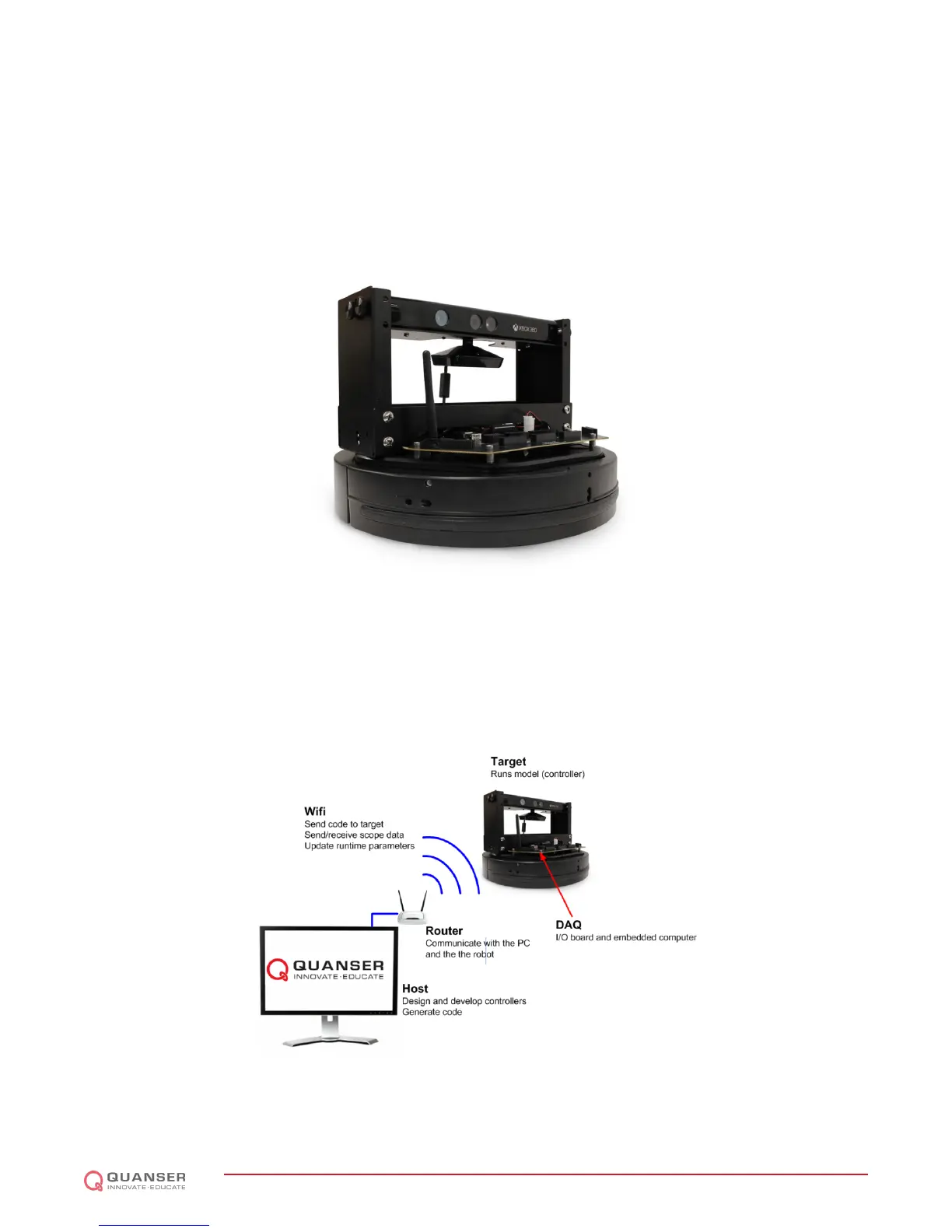
The Quanser QBot 2 (Figure 1.1) is an innovative autonomous ground robot system incorporating a robust
educational ground vehicle with the Microsoft Kinect and a Quanser
r
embedded target. The QBot 2 is comprised
of a Yujin Robot Kobuki platform, a Microsoft Kinect RGB camera and depth sensor, and a Quanser
r
DAQ with a
wireless embedded computer (also refered to as the target computer). The embedded computer system mounted
on the vehicle uses the Gumstix DuoVero computer [1] to run QUARC
r
, Quanser
r
's real-time control software, and
interface with the QBot 2 data acquisition card (DAQ).
Figure 1.1: The Quanser QBot 2
The interface to the target computer is Matlab
r
Simulink
r
with QUARC
r
. The QBot 2 is accessible through three
different block sets: the Quanser
r
Hardware-In-the-Loop (HIL) block set to read from sensors and/or write to
outputs, the Quanser
r
Stream API blockset to perform communications over wired and wireless communication
channels, the Quanser
r
Multimedia blockset to read RGB and depth image data from the Kinect sensor, and The
MathWorks
r
Computer Vision System toolbox to perform image processing. Controllers are developed in Simulink
r
with QUARC
r
on the host computer, and these models are cross-compiled and downloaded to the target (Gumstix
[1]) seamlessly. A diagram of this configuration is shown in Figure 1.2.
Figure 1.2: Communication Hierarchy
The general system description, component nomenclature, specifications, and model parameters are all given in
Section 2. Section 3 goes into detail on how to setup the QBot 2. Lastly, Section 4 contains a troubleshooting guide.
QBOT 2 - User Manual
DRAFT - April 14, 2015


 To Next Page
 Loading...