Pairing with Android
1. Power On 5K
•
Press BL(Blue Lower) button for more than 3 sec.
2. Enter Pairing Mode
•
Press BU(Blue Upper) button for more than 3 sec.
•
Red, Blue LED blink when pairing mode.
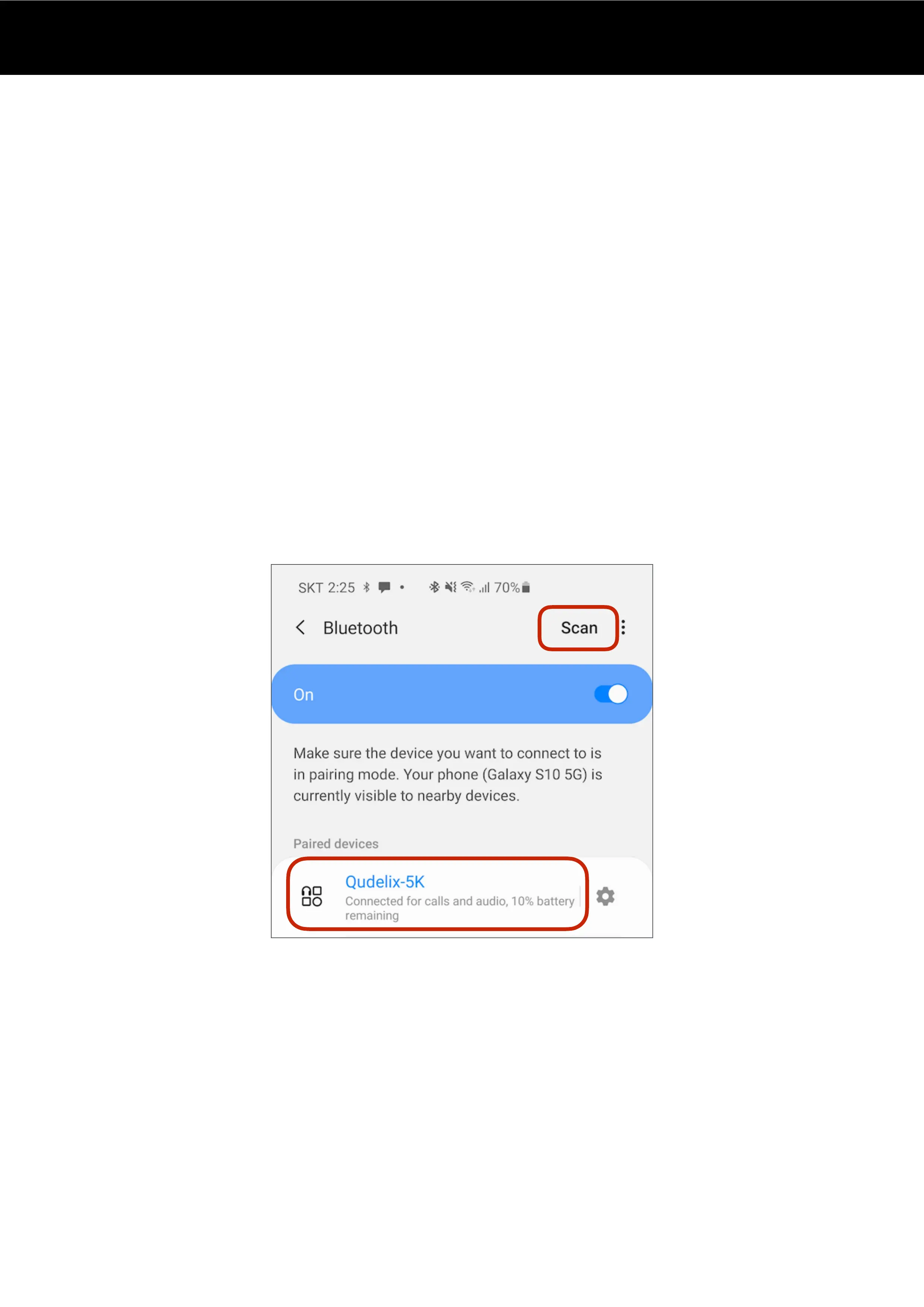
3. Go to your Android Bluetooth menu
•
Scan Bluetooth devices.
•
Select Qudelix-5K in the Available devices list.
4. Paired
•
Once paired successfully, you will see Qudelix-5K in the Paired devices list.


 To Next Page