When the test is complete, the results will be displayed on the Sofia screen. The results can be
automatically printed on the integrated printer if this option is selected. Test Lines will not be
visible to the naked eye.
Results: The Sofia screen will display results for the procedural control as being “valid or invalid.” If
the control is “invalid,” retest with a new patient sample and new Test Cassette.
Flu A: Positive
Flu B: Negative
Procedural Control: Valid
Positive Test for Flu A
(influenza A antigen present)
Flu A: Negative
Flu B: Positive
Procedural Control: Valid
Positive Test for Flu B
(influenza B antigen present)
Flu A: Positive
Flu B: Positive
Procedural Control: Valid
Positive Test for both Flu A and Flu B
(influenza A and B antigen present)
Flu A: Negative
Flu B: Negative
Procedural Control: Valid
Negative Test for Flu A and Flu B
(no antigen detected)
Flu A: Invalid
Flu B: Invalid
Procedural Control: Invalid
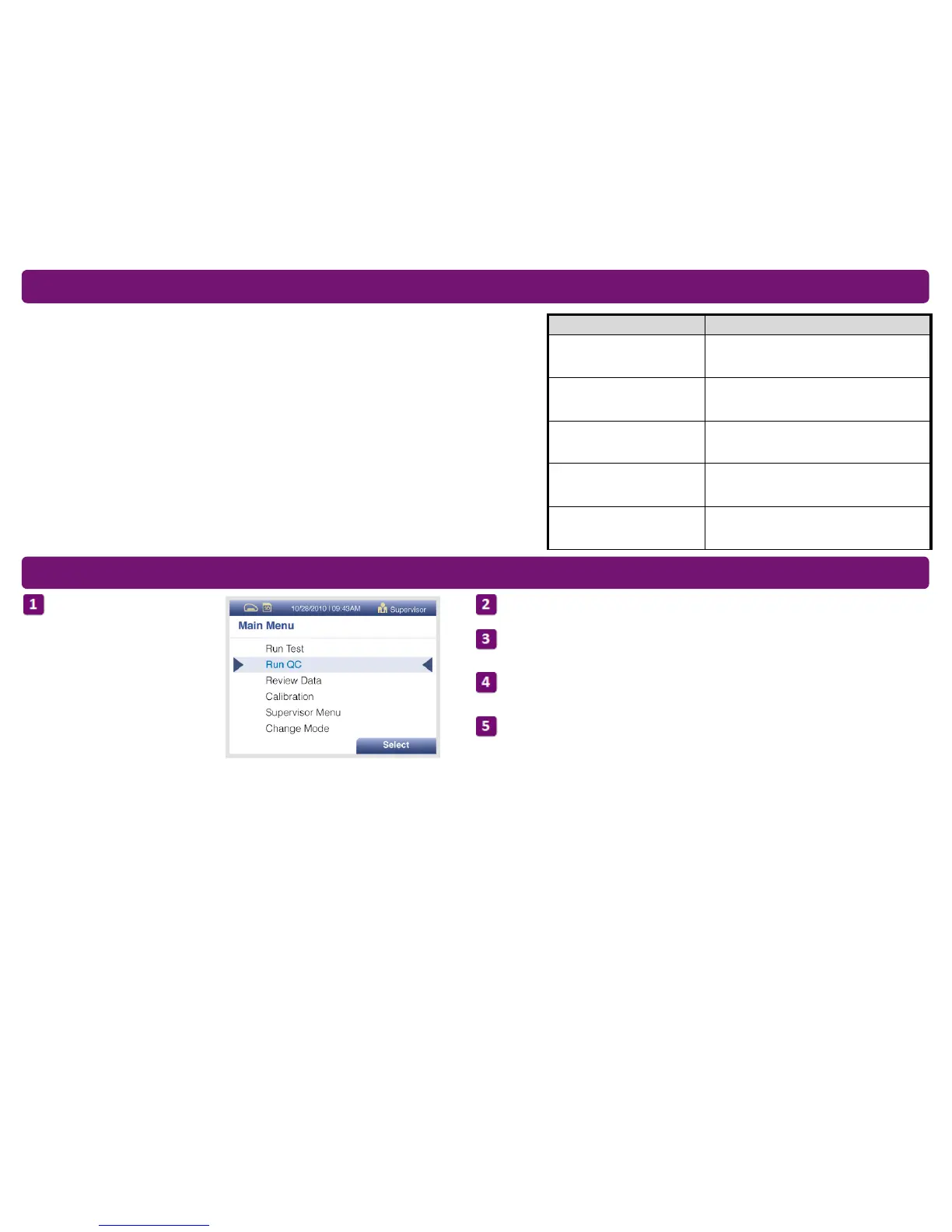
From the main menu, select
Run QC.
Follow the prompts on the screen. Scan the QC Card (located on the kit box).
Sofia prompts the user to select the desired mode (WALK AWAY or READ NOW).
Run the External Control Swabs.
Follow the Swab Test Procedure of this Quick Reference Instructions. First test the
Positive Swab, followed by the Negative Swab.
After both the Positive and Negative Swabs have been run, the results will be
displayed as “Passed” or “Failed.”
Sofia Interpretation of Results
Sofia External Quality Control (External Positive and Negative Swabs are supplied in the kit)



 To Next Page
 Loading...