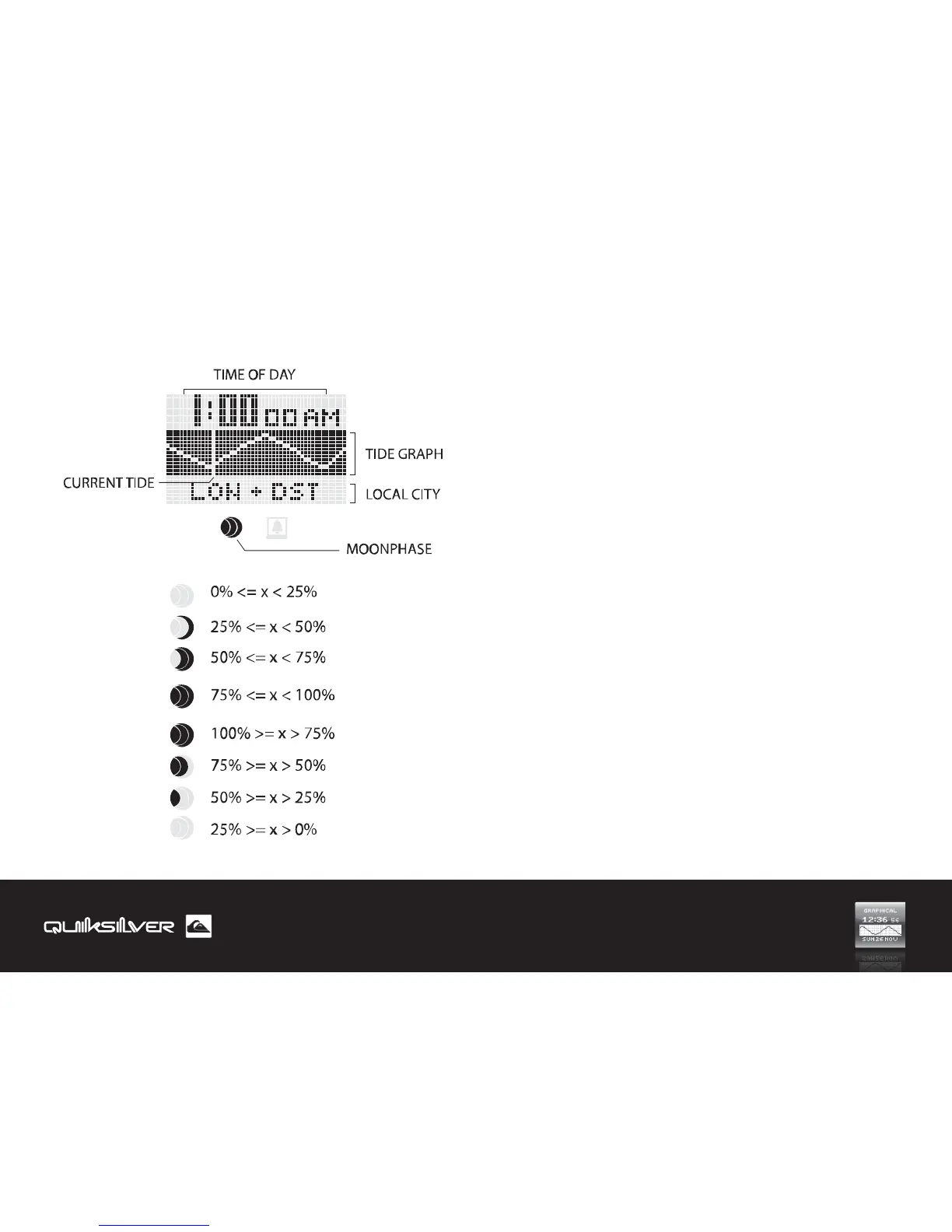
TIME APP
1.1 Display Map 1.2 Quick Tide
Pressing the SET button while in Time mode will go to the Quick
tide function and will allow you to get tide, water height,
sunrise/Sunset information (for the local spot) by pressing only 1
pusher.
In Time mode, pressing the (+) button will scroll through the
next tide status with a 30mins interval. Both the Time displayed
and the tide graph rendered will be updated.
Pressing the MENU button or if a 3 sec timeout occurs will
change the screen back to the Time.
15


 To Next Page