COMPASS APP
1.0 Display Map 1.3 Power-On defaults
1.4 Boundary Conditions1.1 Calibrating
1.2 Declination
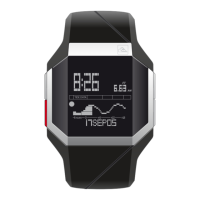
In COMPASS mode, the direction is displayed in the centre
part of the Deep X face.
The angle in degrees is displayed in the upper part of the
display.
Unit of Measure - Degrees
Calibration Status – Un-calibrated
Declination 0°
While in COMPASS mode, press SET button to go to the
calibrating function. Select CALIBRATE, then from the screen
with arrows, do a complete turn (360°) and press SET button.
Your compass is now calibrated.
Range - 0-359°
Cardinal Points - N, NE, E, SE, S, SW, W, NW
Declination - 45°W - 0° - 45°E
To compensate for the deviation between magnetic North &
geographic North, you can adjust the offset of the compass.
While in COMPASS mode, press SET button then select
DECLINATION; use (+)/(-) keys to adjust the declination (West
or East). Press SET once complete.
24


 To Next Page