
 Need help?
Do you have a question about the Rachio Smart Hose and is the answer not in the manual?
From your Home Screen, tap 'Devices' in the Rachio app.
Tap the 'Add Device' option to begin the process.
Complete the Smart Hose Timer setup by following the in-app instructions.
From your Home Screen, tap 'Devices' in the Rachio app.
Tap the 'Add Device' option to begin the process.
Complete the Smart Hose Timer setup by following the in-app instructions.
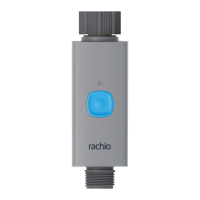
Press the blue on/off button on the Smart Hose Timer valve to activate manual watering.
The valve waters for 10 minutes or a user-defined quick run default in the Rachio app.
Press the button again to end the watering session sooner.
Details on range, pressure, temperature limits, and battery requirements for the timer valve.
Information on WiFi compatibility, range, operating temperatures, storage, and power input for the hub.
 General
| Connectivity | Wi-Fi |
|---|---|
| Operating Mode | Automatic, Manual |
| App Control | Yes |
| Weather Intelligence | Yes |
| Power Source | Battery-powered |
| Hose Connection | Standard garden hose |

 To Next Page