Installation Instructions
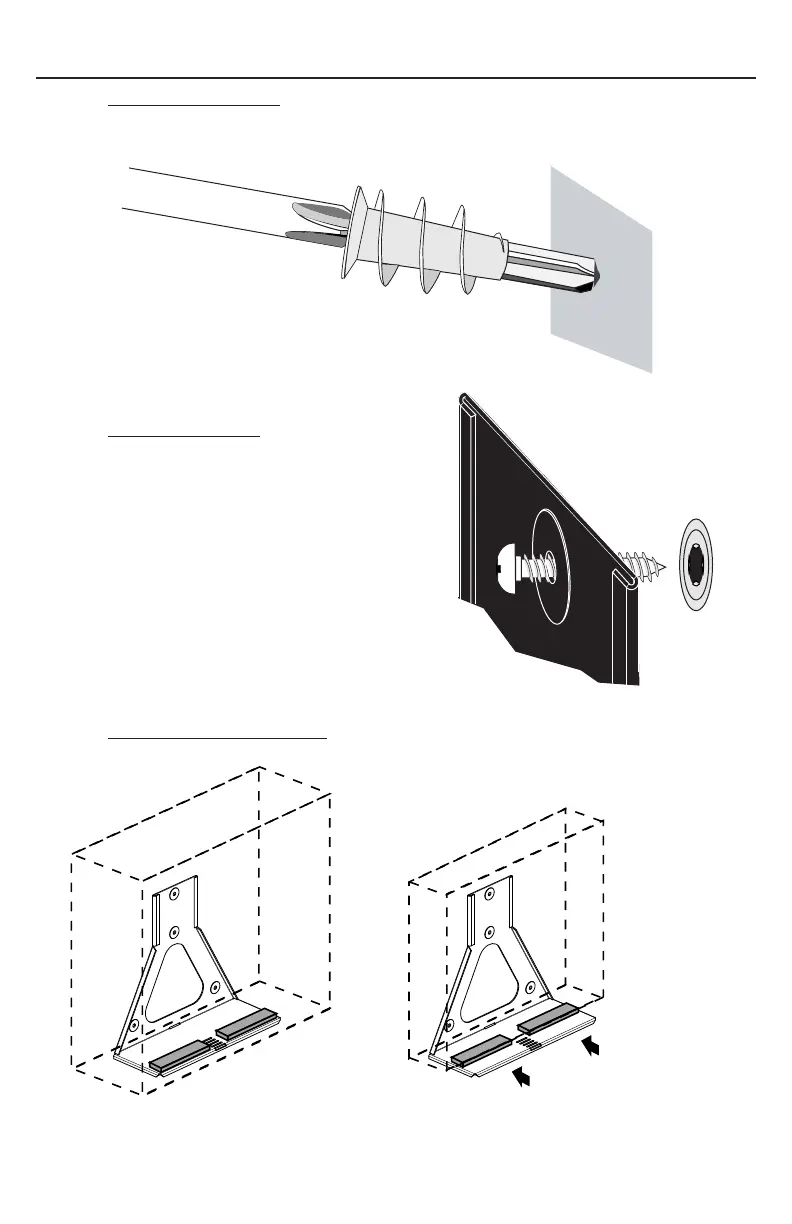
Step 3. Install Drywall Anchor: Install one drywall anchor at each hole mark. Using a
#2 Phillips head screwdriver press the anchor into the drywall while turning
clockwise until it is seated flush with the wall.
Step 4. Attach Mount Base: Attach base to wall
using the 4 screws provided. Tighten
Securely.
Step 5. Attach Foam Strips to Base: Attach sticky back foam strips as shown.
If PC width is less than
mounting area of base
move strips in parallel
with outer side of PC.
Page 3



 To Next Page