POWER THE DEVICE
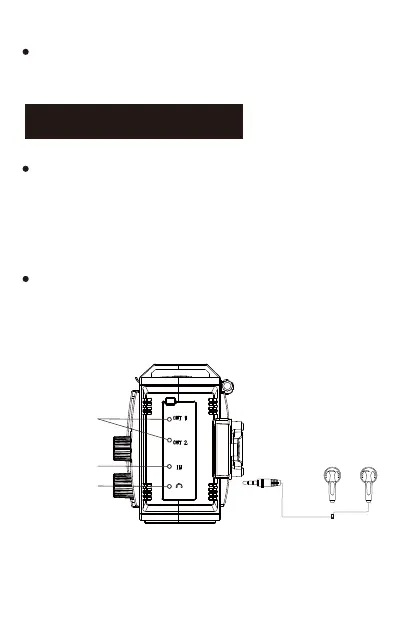
Connect the USB device to the USB output port of the
unit via USB cable to power the USB device. When the
device is used as a power bank (discharge), the power
indicator lights will diminish.
This feature is suggested to use in emergency, do not
use it as a normal power bank.
-7-
Output ports
Input port
Earphone jack
It will cut of the power source when the voltage is
lower than 2.7V and protects the battery from being



 To Next Page