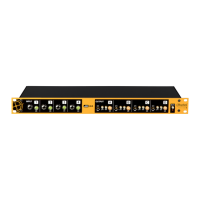
Need help?
Do you have a question about the Radial Engineering JDI Duplex and is the answer not in the manual?
Converts stereo inputs to mono by summing them.
Reduces input sensitivity by -15dB to prevent distortion.
Inverts signal polarity at the XLR output.
Disconnects pin-1 at XLR output to reduce noise.
Activates +4dB XLR input, disables others.
Stereo inputs for CD players, laptops, phones.
Details on 1/4" inputs, THRU, and XLR outputs.
I-Beam reinforcement and powder coating.
Step-by-step instructions for initial setup and use.
Connect stereo keyboards in mono or stereo configurations.
Connect laptops, phones, tablets via RCA or 3.5mm.
Convert +4dB balanced line-level to mic-level.
Reduce input sensitivity for powerful sources.
Correct phase issues or old audio standards.
Eliminate hum and buzz from ground loops.
Mount one or two Duplex units in a 19" rack.
Prevent accidental switch changes during shows.
 General
| Brand | Radial Engineering |
|---|---|
| Model | JDI Duplex |
| Category | Signal Processors |
| Language | English |


 To Next Page