EasyManua.ls Logo

Radio Flyer 940 - User Manual

Radio Flyer 940
22 pages
Print Icon
To Next Page IconTo Next Page
Loading...
Please read this instruction manual before
assembling the product. All assembly should
be completed by an adult. If any parts are
missing or damaged please contact Radio
Flyer Customer Service at 1-800-621-7613 or
visit RadioFlyer.com
24V battery and charger included - 24V
battery must be fully charged before use.
Veuillez lire ce guide d'utilisation avant
d'assembler le produit. L'assemblage doit
être réalisé par un adulte. Si une pce est
manquante ou endommagée, veuillez
communiquer avec le service à la clientèle de
Radio Flyer au 1 800 621-7613 ou visitez le
RadioFlyer.com.
Batterie 24 V et chargeur compris – la batterie
24 V doit être entièrement chargée avant
l'utilisation.
Lea este manual de instrucciones antes de
armar este producto. El armado debe
realizarlo por completo un adulto. Si hay
piezas que faltan o están dadas,
comuníquese con Atencn al cliente de
Radio Flyer al 1-800-621-7613 o visite
RadioFlyer.com.
Batea de 24V y cargador incluidos. La
batería de 24V debe estar totalmente cargada
antes del uso.
Thank you for your purchase. If you have any questions or comments,
please visit the customer service section of our website:
Merci d'avoir achetez notre produit. Si vous avez des questions ou
commentaires, veullez référer notre site web dans la section de service
à
la clientèle:
Gracias por su compra. Si tiene preguntas o comentarios por favor visite
la seccion, servicio al cliente de nuestro website:
1 year limited warranty, refer to radioflyer.com for limitations.
Garantie limitée de 1 an, reportez-vous à radioflyer.com des limitations.
Garantía limitada de 1 año, consulte radioflyer.com para limitaciones.
Or phone / ou composez le / o llame al 1-800-621-7613
Available weekdays 8:00 a.m. to 5:00 p.m. CST.
Please keep this sheet for future reference.
Disponible sur semaine d e 8:00 heures 17:00 heures.
Veuillez garder cette feuille comme référence.
De lunes a viernes de 8:00 a.m. a 5:00 p.m. CST.
Por favor retenga esta copia para futura referencia.
Radio Flyer Inc. / 6515 West Grand Ave. / Chicago, IL 60707
phone: 1-800-621-7613
www.radioflyer.com
Register this product at www.radioflyer.com/register
for a chance to win a Free Radio Flyer product!
(One winner selected every month!)
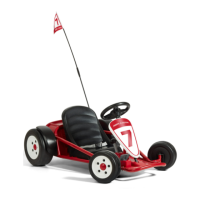
Ultimate Go Kart
model/modéle/modelo #940
940-3_19214 ©2019 Radio Flyer Inc.
For ages 3 to 8 years. Max weight 81.0 lbs. (36.7 kg)
Pour enfants de 3 á 8 ans. Carge maximale 36.7 kg (81.0 livres).
Para los niños 3 a 8 años. Peso máximo 36.7 kg (81.0 lbs.).

Questions and Answers

  • C
    christopherhaneyAug 5, 2025
    Why does my Radio Flyer Utility Vehicle not run or suddenly stop?
    • S
      Sarah StoneAug 5, 2025
      Several factors can cause your Radio Flyer Utility Vehicle to stop running. It could be due to an undercharged or old battery, a charger that isn't working, a tripped thermal fuse/switch, a loose wire or connector, or a defective motor. If the thermal fuse/switch has tripped, release the pedal and wait 30 seconds before trying again. To prevent this, avoid overloading the vehicle (maximum weight capacity is 81.0 lb), pulling anything behind it, driving up hills, or running into fixed objects. Check that the LED light on the charger is RED while charging. Charge the battery until the LED light turns from RED to GREEN, but never for more than 18 hours. Also, verify all wires and connectors are properly connected.
  • D
    David ByrdAug 13, 2025
    What to do if Radio Flyer Utility Vehicle is running slow?
    • V
      vegasabrinaAug 13, 2025
      If your Radio Flyer Utility Vehicle is running slower than expected, several factors could be the cause. Check if the vehicle is overloaded, keeping in mind that the maximum weight capacity is 81.0 lb (36.7 kg). Also, consider the driving conditions; hard, level ground is best, as inclines will reduce speed. Ensure the battery is fully charged until the LED light turns from RED to GREEN, but never for more than 18 hours. An old battery may also cause this issue.
  • M
    Mario VargasAug 20, 2025
    Why Radio Flyer 940 run time is short?
    • J
      Jack SullivanAug 21, 2025
      A short run time (less than 30 minutes) for your Radio Flyer Utility Vehicle can be caused by a few things. The battery may be undercharged, so ensure you charge it fully until the LED light turns from RED to GREEN, but never for more than 18 hours. Overcharging the battery (charging for more than 18 hours) can also damage the battery life and reduce run time. Finally, an old battery may not hold a charge as well.
  • D
    Dustin GarzaAug 28, 2025
    What to do if Radio Flyer Utility Vehicle won’t run when the pedal is depressed?
    • C
      Colleen DavisAug 28, 2025
      If your Radio Flyer Utility Vehicle doesn't run when you press the pedal, the issue might be due to a loose wire or connector. Ensure all wires and connectors are properly connected. It could also indicate a defective motor or a broken gearbox.

Summary

PRE-DRIVE CHECKLIST

Steering Checks

Ensure steering wheel is tight and rider can steer easily.

Wheel and Guard Checks

Verify wheels are secure and guards are in place.

Electronic System Checks

Confirm battery is charged and all electrical parts function.

Vehicle Condition Checks

Inspect vehicle for cleanliness, damage, and secure seat.

Safety Gear and Speed Setting

Ensure proper safety gear and correct speed setting for child.

BATTERY WARNINGS

Electrical Shock Hazard

Avoid immersing battery in water; use a dry cloth for cleaning.

Fire and Explosion Prevention

Read battery safety instructions to prevent fire, explosions, or injury.

Poisoning Hazard

Keep battery out of reach of children and do not open it.

Charging Precautions

Use charger only in dry locations to prevent damage.

BATTERY CARE

Battery Care Instructions

Guidelines for safe handling, charging, storage, and temperature of the battery.

BATTERY DISPOSAL

Proper Battery Disposal Methods

Instructions for environmentally sound recycling and disposal of lead-acid batteries.

CONSERVING BATTERY LIFE

Power Off After Each Use

Turn off the vehicle after every use to conserve battery life.

ADULT ASSEMBLY REQUIRED

Small Parts Hazard Warning

Contains small parts, posing a choking hazard to children under 3.

Fastener Tightening

All fasteners must be fully tightened for safety.

Child Involvement Restriction

Children should not handle parts or assist in assembly.

BATTERY CHARGING

Charging Process and Status Indicators

Guide to charging the battery, LED indicators, and charge time limits.

SHIFTING

Speed Selection and Adjustment

How to select speeds and adjust speed restrictions for rider.

FCC Compliance Statement

ON;OFF Switch LED Indicator Table

Table explaining the meaning of the ON/OFF switch LED lights.

TROUBLESHOOTING

Vehicle Does Not Run Or Suddenly Stops

Solutions for when the vehicle is not running or stops unexpectedly.

Short Run Time

Troubleshooting tips for vehicles with limited run time.

Vehicle Running Slow

Causes and solutions for a slow-running vehicle.

Pedal Not Responding

How to fix issues when the pedal doesn't activate the vehicle.

Loud Noise During Operation

Diagnosing and fixing loud noises while driving the vehicle.

Radio Flyer 940 Specifications

General IconGeneral
BrandRadio Flyer
Model940
CategoryUtility Vehicle
LanguageEnglish