BH7NOR & BG6QBV Firmware and software downloads:http://avrx.cn
- 20 -
AVRT7 Plus Configuration program download and driver installation
1, All file download :
http://avrtx.cn/
2, software download
a, Download the manual and software
http://avrtx.cn/index.php?folder=QVZSVDcgUExVUw==
b, Download USB serial port driver
http://avrtx.cn/download/USB%20driver/CH340/CH340%20DRIVER.ZIP
c, Download the Microsoft VB/VC Runtime Library file
http://avrtx.cn/download/ocx%20libraries/all%20ocx%20libraries.zip
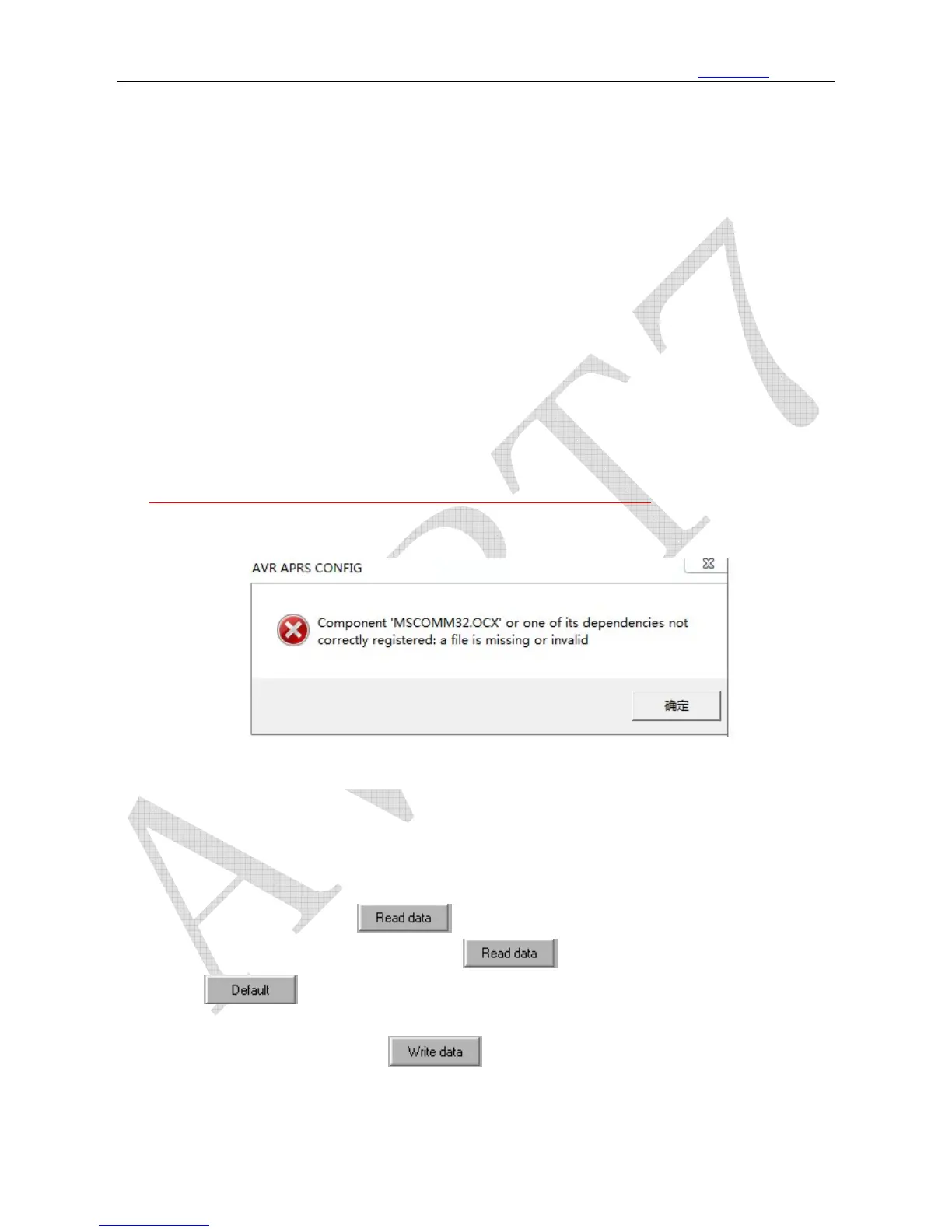
d、solution for the “MSComm32.ocx”
Install the Microsoft VB/VC Runtime Library file (right mouse button, select: install in
administrator mode)
* * * * * * * * * * * *
3、
AVRT7 Plus Configuration program value read and write:
a. To install the CH340 driver first, connect the USB cable between your PC and AVRT7 Plus.
b.
Start the software and choose the right COM port (you may find it in the computer device
manager), and click the
button; there is a prompt would be shown in the
lower right corner (if fail you may click and then reboot the AVRT7 Plus)
c.
click to achieve the default data setting, User could amend the data base on
the dafault version.
d. After the amendment, click
to save data and reboot AVRT7 Plus.



 To Next Page