
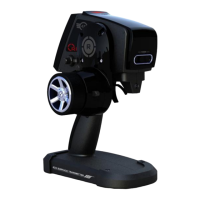
Why is the LED blinking on my Radiopost TS401?
- BBriana PenaAug 14, 2025
A blinking white LED indicates that the transmitter and receiver are not bound properly; repeat the binding process. A blinking red LED indicates a lost connection.
Why is the LED blinking on my Radiopost TS401?
A blinking white LED indicates that the transmitter and receiver are not bound properly; repeat the binding process. A blinking red LED indicates a lost connection.
How to fix Radiopost TS401 when it is unable to transmit?
If your Radiopost Transmitter is unable to transmit, the battery may be low or have insufficient voltage. Charge the battery to resolve this issue.
What to do if the alarm doesn't stop on Radiopost Transmitter?
If the alarm on your Radiopost Transmitter doesn't stop, it could be due to a low battery. Try charging the battery. Alternatively, the interval timer may be on; turn it off.
Why do the servos move slowly on my Radiopost Transmitter?
Slow servo movement on your Radiopost Transmitter can be caused by several factors: 1. The speed setting may be too low; increase it to the default or a higher value. 2. The battery might be low; check the battery. 3. The linkage may be too tight; free the linkage from any binding.
Why there is no sound when pressing keys on Radiopost TS401 Transmitter?
If there is no sound when pressing keys on your Radiopost Transmitter, the buzzer option may be turned off. Turn the Buzzer setting to “ON” in the system menu.
Why are the steering angles different on my Radiopost TS401 Transmitter even though the settings are the same?
If the steering angles are different on your Radiopost Transmitter despite identical settings, the trim or subtrim may not be in the neutral position. Edit the trim and subtrim to correct this.
Why is the servo not able to be controlled by the trim switch on Radiopost TS401?
If the servo cannot be controlled by the trim switch on your Radiopost Transmitter, the trim may be out of its operation range. Set the trim to zero “0”, and put the servo horn and linkage in the neutral position.
Why don't the lap timer and interval timer work on my Radiopost Transmitter?
If the lap-timer and interval timer do not work on your Radiopost Transmitter, the timer is likely set to “OFF”. Set the timer to “ON”.
Details FCC compliance and operating conditions for the device.
Covers general safety, operational rules, and precautions for usage.
Guidelines for product usage, export regulations, and unauthorized modifications.
Specific safety measures for operating and handling the transmitter and receiver.
Highlights the primary features and functionalities of the transmitter.
Lists and illustrates all included components and accessories.
Labeled diagram identifying all external controls and displays on the transmitter.
Explains the vertical and horizontal views of the transmitter's welcome screen.
Instructions for adjusting the wheel extension and angle for user preference.
Guide to reconfigure the transmitter for left-handed use.
Describes the function of MENU, BACK, UP, DOWN, LEFT, RIGHT, and SET buttons.
Details the usage of trim buttons (DT1-DT3) and dial buttons (Dial 1-3).
Explains how to assign functions to the transmitter's push switches (PS1-PS3).
Visual representation of functions available in the Quick Menu.
Hierarchical layout of all functions and settings within the transmitter.
Covers selecting, naming, copying, and resetting up to 20 RC models.
Adjusting subtrim, dual rate, and EPA for steer and throttle servos.
Fine-tuning steering and throttle response using exponential curves.
Process for binding receivers and configuring channel reverse and assignments.
Adjusting speed, brake mixing, and Anti-lock Braking System (ABS).
Using monitor, adjust, and timer functions for system feedback and race timing.
Customizing LCD backlight, buzzer, alerts, and other system parameters.
Details on Throttle Mode, ABS, Acceleration, AT-Start, Idle-Up, ATL, etc.
List of technical abbreviations used in the manual with their meanings.
Information regarding the limited warranty period and coverage.
Procedures for product inspection, repair, and return policies.
Regulatory information regarding radio frequency interference and compliance.
Company contact details for assistance, questions, and support.
| Frequencies | 2.400-2.4835GHz |
|---|---|
| Operating Voltage | 6-18V DC |
| Frequency Range | 2.400-2.4835GHz |
| Modulation | GFSK |
| Power Supply | 6-18V DC |