EasyManua.ls Logo

Rado DiaMaster Maxi - AM;PM or 24-hour display; Setting the date

Rado DiaMaster Maxi
16 pages
Print Icon
To Next Page IconTo Next Page
To Previous Page IconTo Previous Page
Loading...
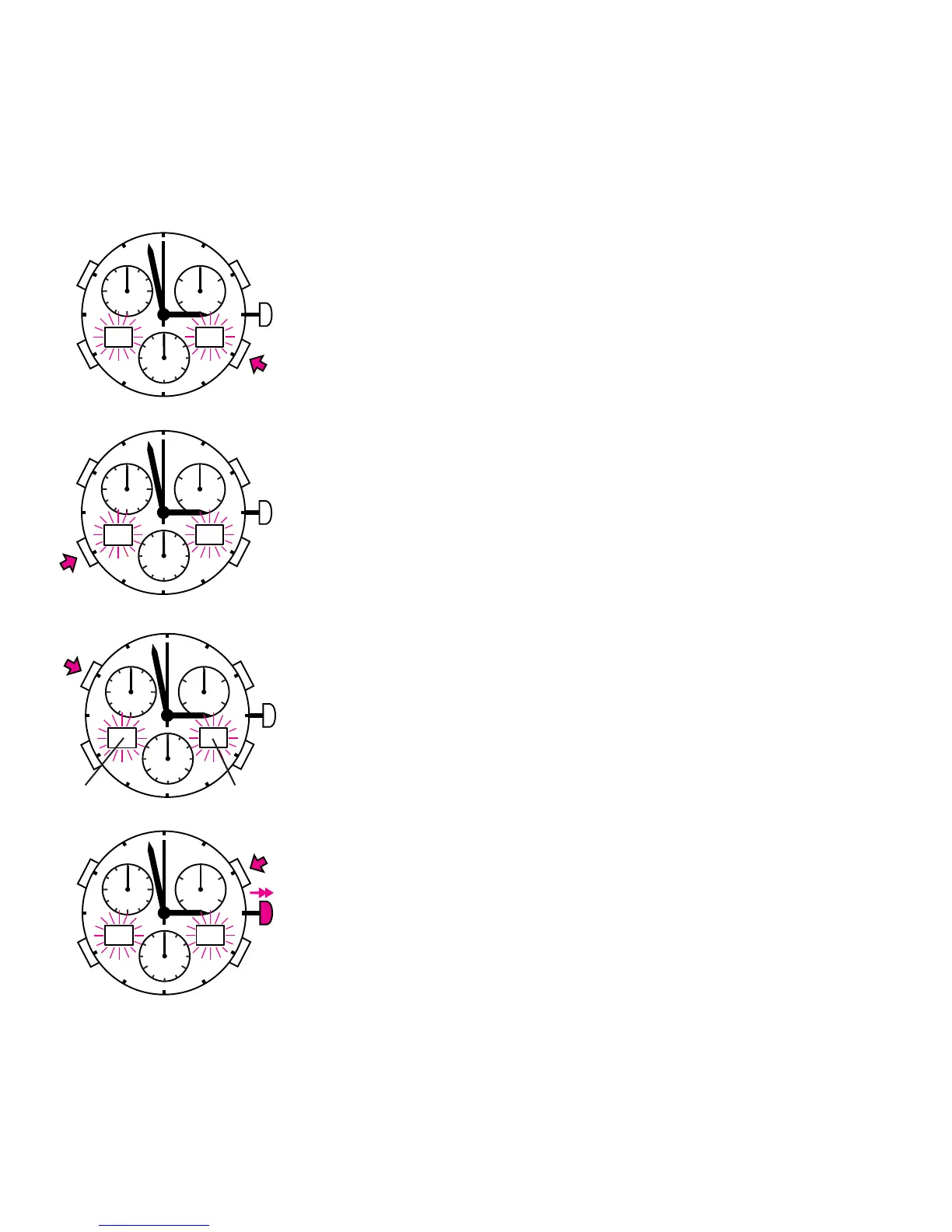
Digital display:
Adjusting the minutes.
Adjusting the hours.
AM/PM or 24-hour display
Pull the crown out fully.
The second hand stops moving and the
digital time-of-day display blinks.
Setting the date
Pull the crown fully out and briefly push the
button. The digital display blinks. The month
is shown on the left and the day on the right.

58
13
12
3
6
9
60
20
40
30
1020
58
14
12
3
6
9
60
20
40
30
1020
5802
12
3
6
9
60
20
40
30
1020
232
12
3
6
9
60
20
40
30
1020
TI 24

Related product manuals