
 Need help?
Do you have a question about the RaidSonic Icy Box IB-3640 Series and is the answer not in the manual?
Defines signal words and safety codes for hazard communication.
Hazards associated with contact with live electrical parts.
Potential injuries from sharp components during assembly.
Risks related to insufficient device or power unit ventilation.
Dangers like suffocation or swallowing of small items by children.
Risks and prevention of data loss during product usage.
Guidelines for safely cleaning the device and avoiding damage.
Proper procedures for disposing of the device according to environmental regulations.
Provides essential details on device usage, power, and general precautions.
Details the required power voltage and adapter connection guidelines.
Instructions on how to handle device malfunctions and repairs.
Procedures for appropriate disposal of the device.
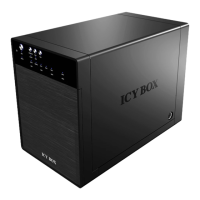
Details the layout, indicators, and controls on the device's front panel.
Details the ports and features located on the rear panel of the device.
Describes the DC power jack and other connections on the side panel.
Explains JBOD spanning mode, concatenating drives for expanded volume.
Describes striping mode for performance, data written across drives.
Details mirroring for data redundancy, writing data to multiple drives.
Explains RAID 3 using dedicated parity for performance and fault tolerance.
Describes RAID 5 with distributed parity for drive failure masking and redundancy.
Details RAID 10 combining mirroring and striping for performance and redundancy.
Guides users through initializing HDDs on Windows systems using disk management.
Provides instructions for initializing HDDs on macOS using Disk Utility.
Alerts users that changing RAID mode can cause data loss.
Notes that USB and eSATA interfaces cannot be used simultaneously.
Strongly recommends using HDDs of the same brand, model, and capacity.
Details supported operating systems and capacity recognition with GPT.

 To Next Page
 General