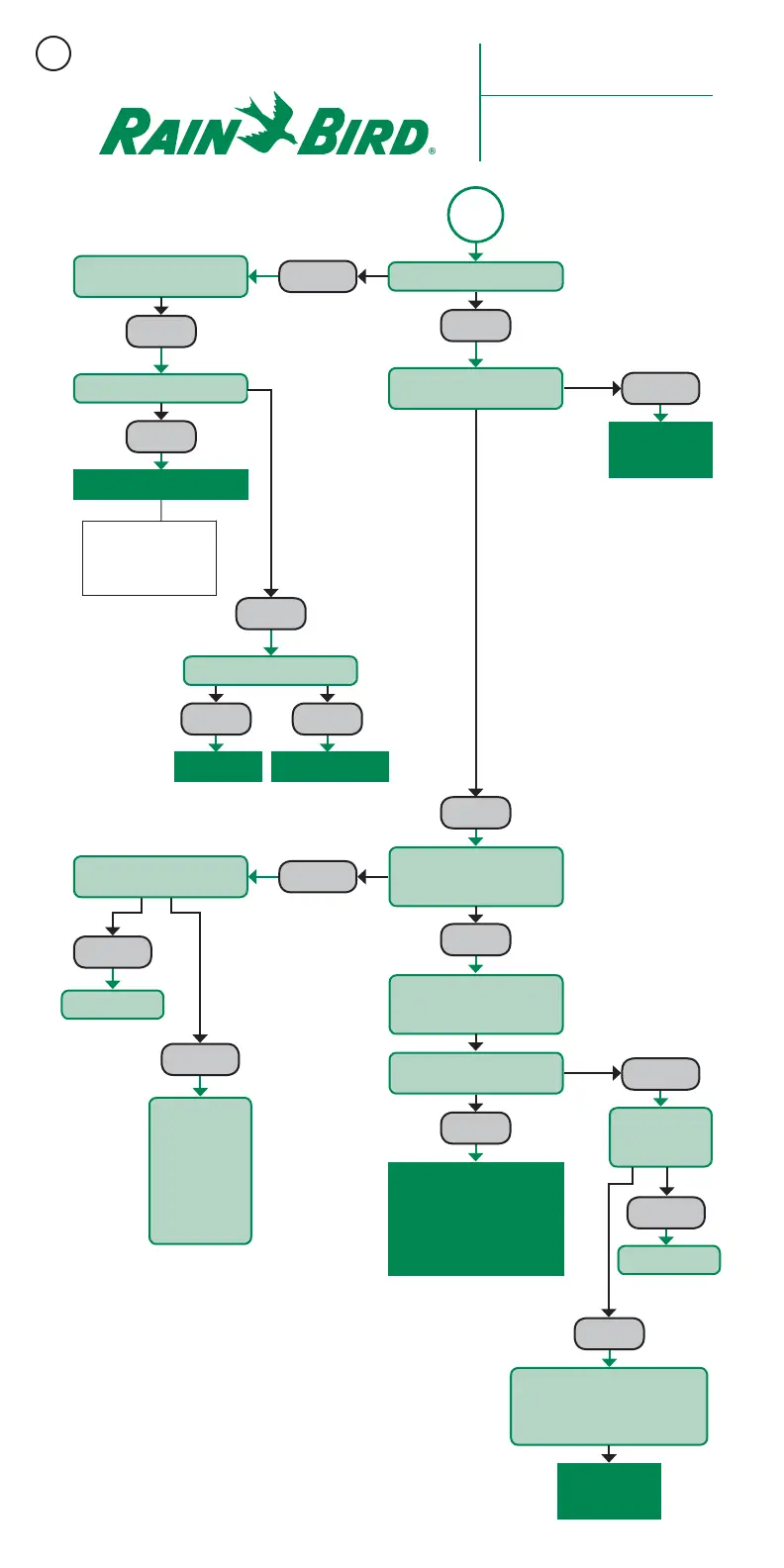
START
Verify Power LED is on
Check switch and incoming
power at 120VAC.
Turn off wire path
slide switch and cycle power.
Check field LED for
alternating GREEN/RED colors
every 0.5 seconds.
Start 50/60Hz test in Decoder
Diagnostic section of central
control software.
Verify output voltage on each
wire path is 33± VAC.
Check incoming 24VAC.
Replace LDI/SDI
Confirm System Status is OK
in central control software.
Troubleshoot as
Necessary
Proceed to Field
Troubleshooting
Replace LDI/SDI
Replace LDI or SDI
Turn on one field
wire path at a
time to find wire
path with short
condition. LED
will be solid when
shorted wire path
is activated.
Disconnect
field wires and
recheck voltage.
Reconnect field wire. Compare
expected and actual “at rest” current
draw in Decoder Diagnostic section of
central control software.
Run ON/OFF Test in Decoder
Diagnostic Section of
Central Control Software
and Proceed to Field
Troubleshooting
Recommended Rain Bird
®
Troubleshooting Procedure for
“No Control Over
Field Decoders”
OKAY
OKAY
OKAY
OKAY
OKAY
OKAY
Check Transformer Fuse
Replace Fuse Replace Transformer
BAD
BLOWN GOOD
OKAY
Symptoms: No control over field
decoders and zeros in course log.
OFF
SOLID LED
SOLID LED
OKAY
BAD
LOW
LOW
If replacing transformer,
connect 24VAC wires to
terminal screws before
plugging transformer in.
3



 To Next Page