www.rainforestautomation.com
EMU™
Quick Start
Step 1: Check Contents of the box
The box should contain the following items:
a) 1 x EMU™ Display unit
b) 4 x AA Batteries
Step 2: Register your EMU™
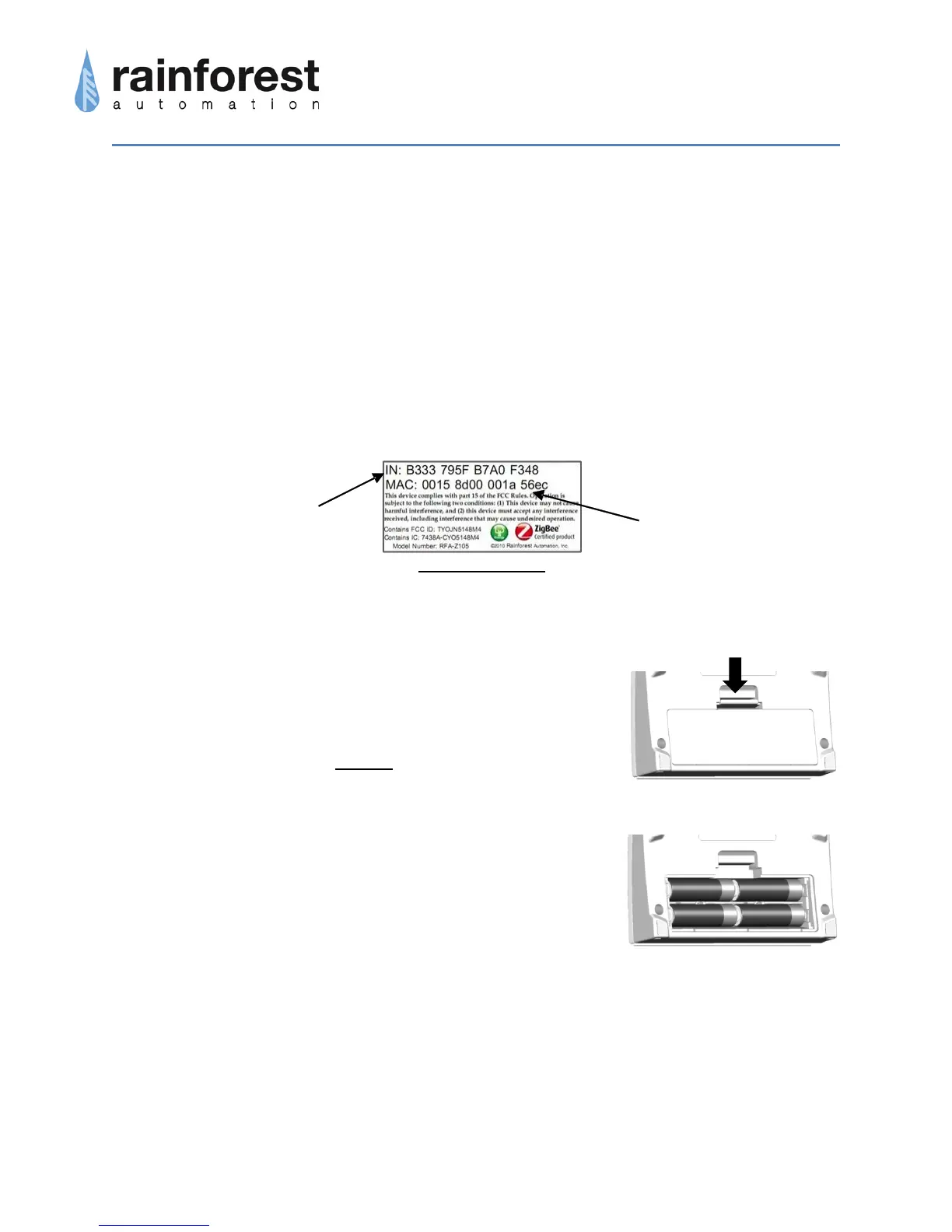
In order for your EMU™ to connect to the smart meter, you will need to register your
EMU™ with your utility. Please follow the procedure provided by your utility. You will
need the following information, which is found on the Information Label on the back of
your EMU™:
Note that it may take some time for your utility to enable the smart meter to connect with
your EMU™. You should be advised by your utility how long this will take.
Step 3: Assemble your EMU™
a. Open the battery cover on the back of your EMU™ by
pushing down on the catch at top of the door.
b. Insert 4 AA batteries exactly as shown on inside of the
battery compartment. Note that putting a battery in
backwards can be hazardous, and may cause extensive
damage to the EMU™. Always use alkaline batteries;
never mix battery types. Replace all batteries at the
same time.
c. Replace the battery cover by inserting the bottom tabs
first, then snapping the catch closed.
Step 4: Wait for the EMU™ to join the smart meter
The EMU™ will attempt to connect to the smart meter. This could take 1-2 minutes.
When the EMU™ finds the smart meter and successfully communicates with it, you will
see a meter reading on the Display screen.


 To Previous Page
 Loading...
