9. After SYSTEM START UP
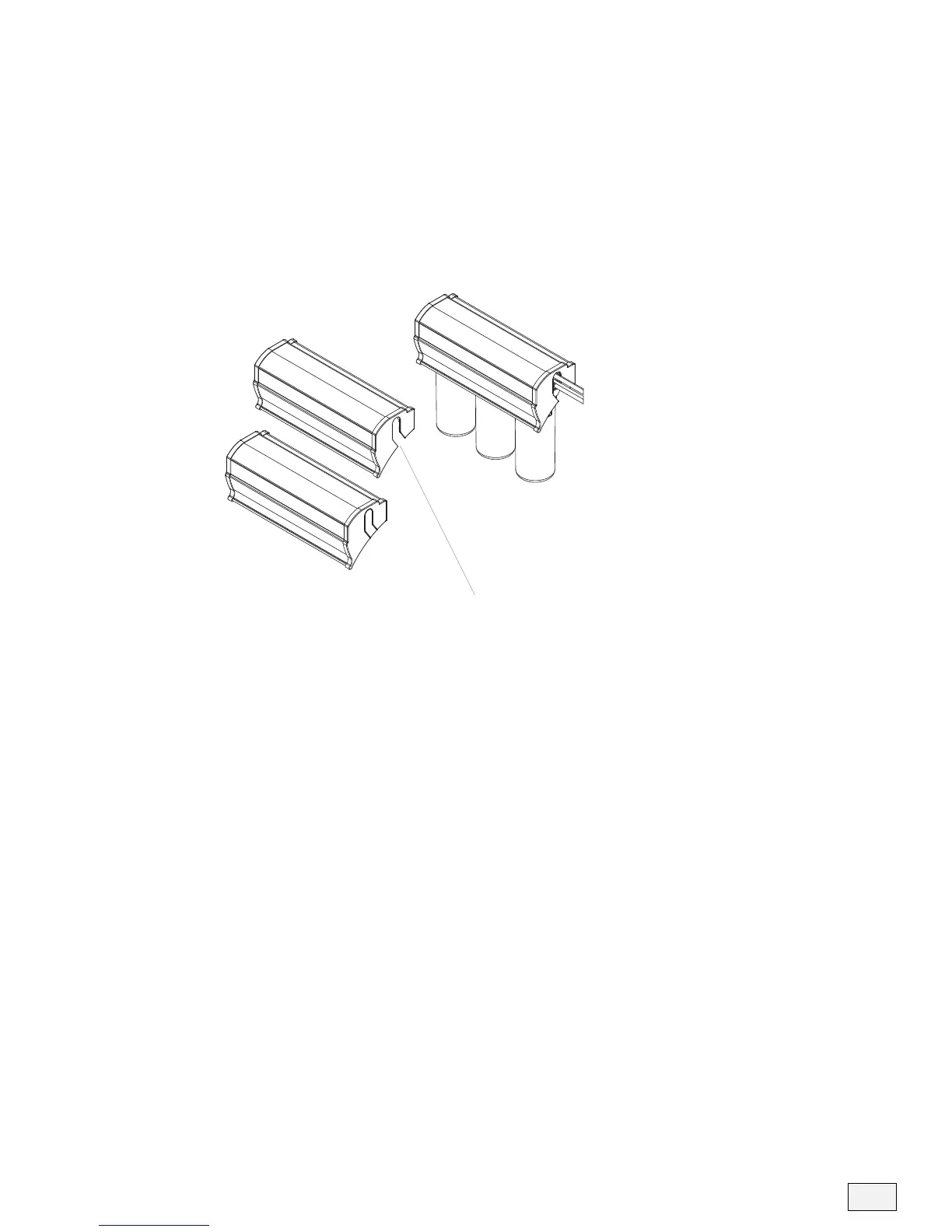
Because the Ultrefiner II bracket assembly and cover are reversible, the
cover is designed with removable side panels for tube routing. Choose
the correct side panel to remove based on the installation.
• Remove the side panel by cutting with knife or clippers.
• Place cover onto Ultrefiner II and ensure tubing is correctly secure to
the one side of the Ultrefiner II bracket assembly.
11
Figure 11
REMOVE PANEL USING KNIFE OR CLIPPERS


 To Next Page