4
Chapter 2 Operating Instruction
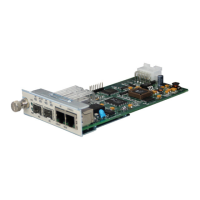
I. Introduction of Front Panel:
z The definitions of indicators are as follows
E1 link indicators:
LOS (RED) Loss of receive signal alarm at E1 link;
When E1 link is working properly, it is off.
LER (RED) Fault alarm of receive signals at E1 link;
On fractional E1 pattern, this alarm indicates that there is loss of frame (LOF), AIS
(upstream E1 alarm) or CRC (CRC4 fault of fractional E1).
On E1 transparent (unframed) pattern, this alarm indicates AIS (upstream E1 alarm)
only.
When E1 link is working properly, it is off.
RLP(Yellow) It indicates the normal status of remote-site loop-back test.
On fractional E1 pattern, when setting this equipment on remote-site loop-back
mode by Dip-switch, if the RLP indicator is on, it indicates the test is successful,
and the link is in good condition.
When the device is working, it is off.
RAL (RED) It indicates remote-site E1 link alarm.
On E1 fractional pattern, when LOS or LER alarm occurs at the remote-site
equipment, the RAL at the local-site device is on.
When E1 is working properly, it is off.
Ethernet Link Indicators:
LNK(Green) When it is on, it indicates that network link is connected properly.
ACT(Green) When it is flashing, it indicates that data is transmitting and receiving.
TX
BALANCE
RX
RAL
RLPLOS
LER
LN



 To Next Page
 Loading...