Hardware Quick Installation Guide
Installing the Wireless Mini PCI Express Module
1. Power down the computer.
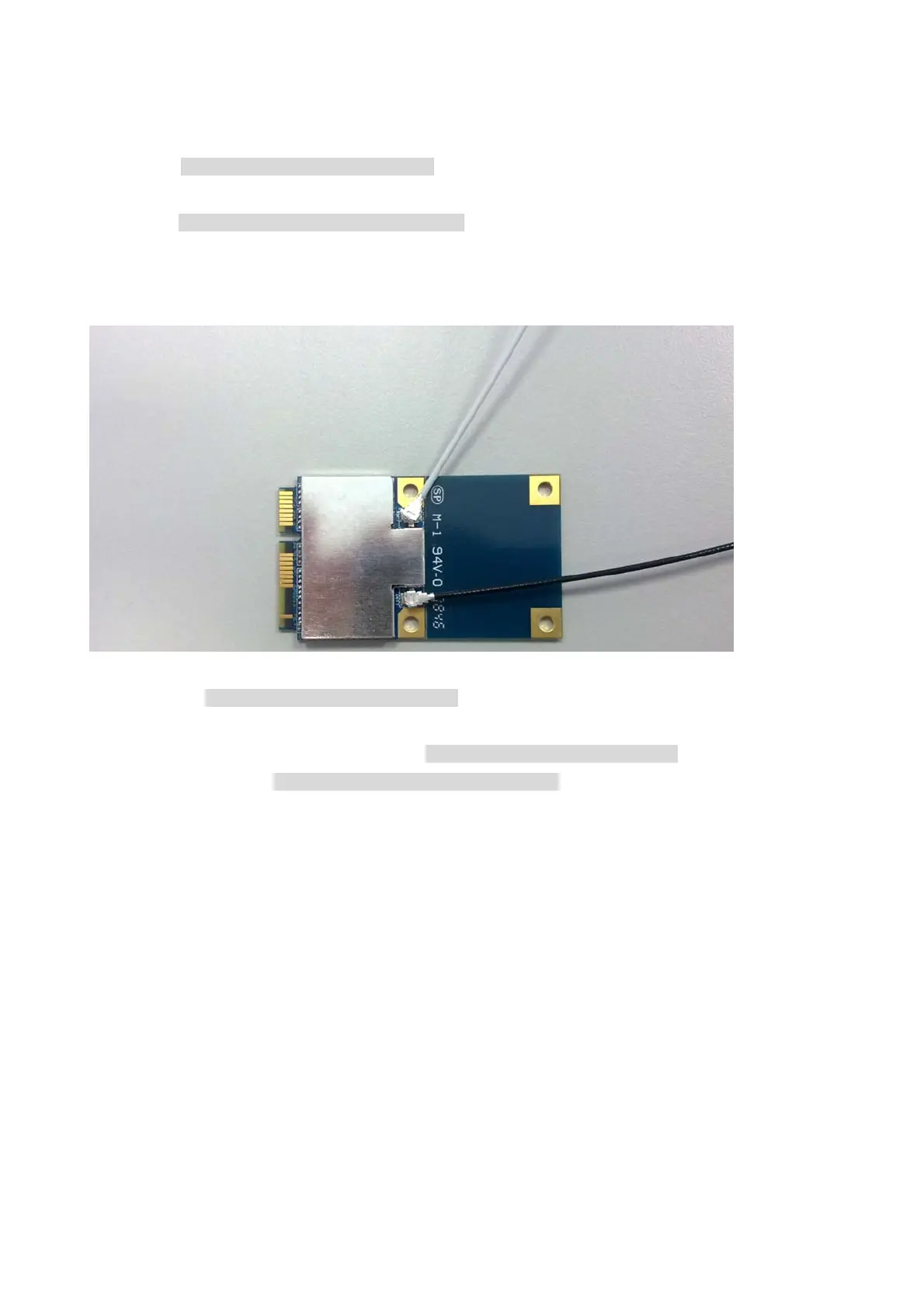
2. Plug the Wireless PCI Express Minicard Module board to motherboard minicard slot
3. Connect 2 external antennas used I-PEX connector for WiFi antenna.
4. Power on the computer.
Un-installing the Wireless Mini PCI Express Module
1. Power down the computer
2. Removed 2 external WiFi antennas from the Wireless Mini PCI Express Module
3. Carefully removed the Wireless PCI Express Minicard Module from the motherboard minicard slot.
4. Power on the computer.
2 external


 To Next Page