1. Pitcher in front of camera
2. Adjust monitor to align the
target line to center
Use the camera target line on the app screen as reference
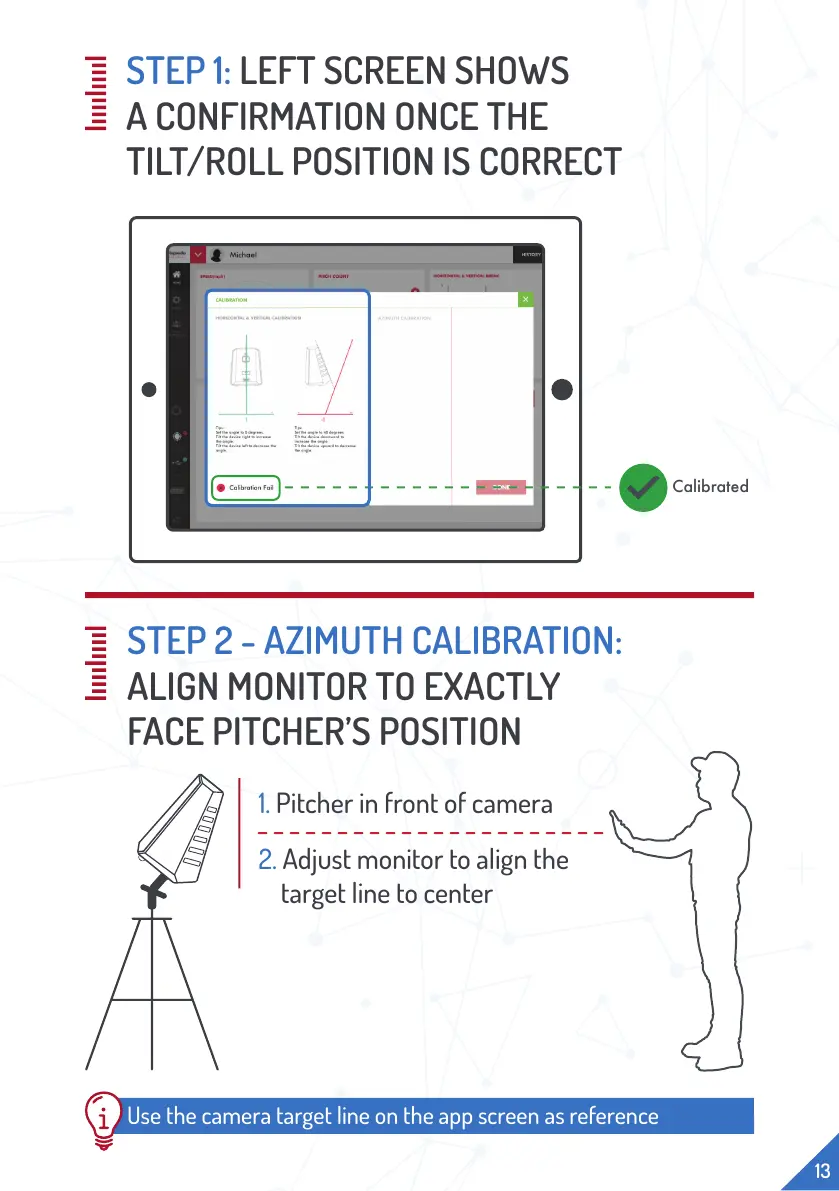
STEP 1: LEFT SCREEN SHOWS
A CONFIRMATION ONCE THE
TILT/ROLL POSITION IS CORRECT
Calibrated
13
STEP 2 - AZIMUTH CALIBRATION:
ALIGN MONITOR TO EXACTLY
FACE PITCHER’S POSITION


 To Next Page