Chapter 3: DX Series
37
Numbers Components
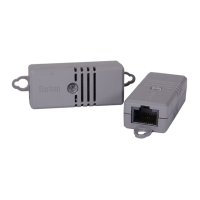
RJ-45 ports, each of which is located on
either end of a DX sensor package.
RJ-12 port, which is reserved for future
use and is hidden now.
To cascade DX sensor packages:
1. Connect a standard network patch cable to either RJ-45 port of the
first DX sensor package.
Exception: For a Raritan PDU or EMX with an "RJ-12" SENSOR port,
an RJ-12 to RJ-45 adapter cable (part number: RJ12M-RJ45M) is
needed, which you can request from Raritan.
2. If you want to cascade DX packages, get an additional standard
network patch cable (CAT5e or higher) and then:
a. Plug one end of the cable into the remaining RJ-45 port on the
prior DX package.
b. Plug the other end into either RJ-45 port on an additional DX
package.
Repeat the same steps to cascade more DX packages.
Exception: You CANNOT cascade DX-PD2C5 sensor packages. For
details, see
DX-PD2C5
(on page 24).
3. Make sure the total number of sensors and actuators connected to
these DX packages does not exceed 32 per sensor port. See
Supported Maximum Number of Sensors and Actuators
(on page
77).


 To Next Page
 Loading...