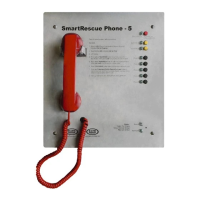
This document is an installation and operations manual for RATH® Cellular Pool Phones, specifically covering models 2300-614GSM4, 970GSM4, 2100-986GSM4, 2300-614VER4, 970VER4, and 2100-986VER4. These devices are emergency communication solutions designed for pool environments, offering cellular connectivity for emergency calls. RATH® is an experienced manufacturer in emergency communication, having been in business for over 35 years. The products are manufactured in the USA and come with a 3-year warranty.
Function Description:
The RATH® Cellular Pool Phones are designed to provide reliable emergency communication, primarily for dialing 911. They operate using cellular networks (GSM or CDMA) and require an active standard-size SIM card with a 4G data/voice plan. The phones are pre-programmed to dial 911, but can be reprogrammed to dial alternate numbers if needed. The devices come in different form factors, including wall-mounted enclosures with either a handset or a speakerphone interface. The speakerphone models (970GSM4, 2100-986GSM4, 970VER4, 2100-986VER4) feature an auto-answer function when called, allowing for instant two-way communication. The handset models (2300-614GSM4, 2300-614VER4) include a ringer that can be enabled or disabled.
Important Technical Specifications:
- Power: Requires 120vac power. The unit includes a transformer for power connection. It is recommended to plug power into a battery-backed-up power source or RATH® RP7700107.
- SIM Card: Uses a standard size SIM card (25mm x 15mm). Nano or micro SIM cards with adapters are explicitly warned against due to potential permanent damage.
- Cellular Connectivity: Supports GSM or CDMA carriers with an active 4G data/voice plan.
- Signal Strength: The manual includes a Signal Strength Chart (Figure 1) to assess cellular coverage, with optimal coverage indicated by -63dBm to -53dBm or more. Minimum signal strength for operation is also highlighted.
- LED Indicators: The device features LED lights for various statuses:
- RUN LED: Flashes green when power supply is OK. Other colors indicate different states (refer to Figure 2).
- BAT LED: Always on when the battery is OK.
- SIM LED: Amber when the device is connected to the network. Flashing red indicates an issue with the SIM card.
- COVERAGE LED: Green or amber for good coverage.
- SLIC LED: Green when the device is in standby.
- Enclosure: Designed for outdoor installation, requiring a water-tight connector for conduit.
- Mounting: Wall-mounted. Some models (2100-986GSM4, 2100-986VER4) include mounting feet.
Usage Features:
- Emergency Dialing: Pre-set to dial 911.
- Programming Telephone Numbers:
- Handset Phones: Involves pressing and holding "Program," lifting the handset, releasing "Program," pressing "#" 10 times, pressing "3, #," entering the desired phone number, and then pressing "*, #" to exit.
- Speaker Phones: Involves pressing "ENTER," then "1, ENTER," entering the desired phone number, and pressing "STOP." To exit, press and hold "STOP" for 3 seconds.
- Volume Adjustment:
- Handset Phones: A volume wheel is located on the underside of the handset.
- Speaker Phones:
- Microphone Sensitivity (VR2): Adjusted with a small Phillips screwdriver (1/4 turn clockwise to increase).
- Speaker Volume (VR1): Adjusted with a small Phillips screwdriver (1/4 turn clockwise to increase).
- Ringer On/Off (Handset Models only: 2300-614GSM4, 2300-614VER4): Accessed by removing the internal plate and flipping it over to expose a dipswitch labeled "ON" and "OFF."
- Auto-Answer (Speakerphone Models only: 970GSM4, 2100-986GSM4, 970VER4, 2100-986VER4): These models automatically answer incoming calls for immediate two-way communication.
Maintenance Features:
- SIM Card Installation: Insert standard size SIM card into J4 with the perforated edge first and gold contacts downward until it clicks.
- Signal Strength Test: Turn SW1 dipswitch 1 to ON (ensure dipswitch 4 is also ON) to use the built-in network signal strength scanner. Turn SW1 dipswitch 1 back to "OFF" when finished.
- LED Indication Chart: Provides a quick reference for troubleshooting power supply, battery, network connection, coverage, and standby status based on LED colors and states.
- Customer Support: RATH® offers experienced customer support teams for remote assistance with site preparation, installation, and maintenance.
- Location Awareness Note: A critical note advises that cellular devices search for the closest cell tower, and in areas with limited towers, the location area for first responders may be too broad. Users are advised to contact their local 911 service to associate address details with their new cellular number in such instances.

 Need help?
 General

 To Next Page