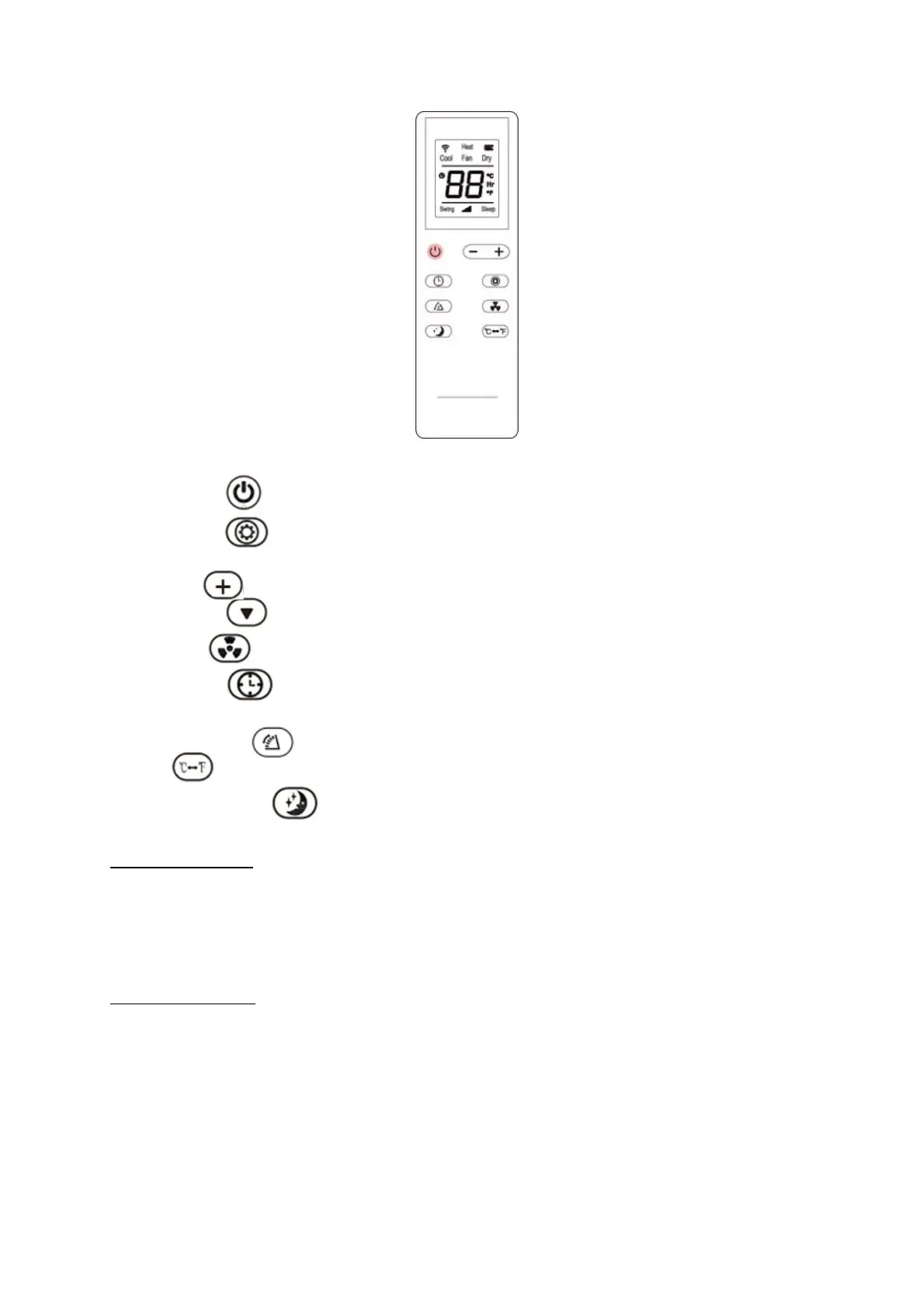
Remote control
Instructions of key operation of the high-quality remote control are as follows:
1. Power: Press the key to turn on or turn off the machine.
2. Mode: press the key to switch between cooling, dehumidification, fan and heating
(single cold with no such function) mode.
3. Up: press the key to increase temperature and timing set value.
4. Down: press the key to reduce temperature and timing set value.
5. Fan: press the key to select high, medium and low wind speed output circularly.
6. Timer: press the key to set timing value. Timing value can be set with 1-24 hours
and the timing value is adjusted upwards or downwards by one hour.
7. Cleaning: Press the louver will swing up and down.
8. press the key to switch between Celsius and Fahrenheit.
9. Sleep Mode: Press the key to turn on the sleep mode.
Cooling your room
Select the cool mode to lower the temperature in your room.
Press MODE button repeatedly until the LED of COOL operation lights up.
Press UP/DOWN button to adjust the temperature which is displayed on the screen.
Heating your room
Press MODE button repeatedly until the LED of HEAT operation lights up.
Press UP/DOWN button to set the temperature higher than the room temperature. The fan
speed can also be set.
Note: The drainage hose should be attached to the unit for continuous operating.


 To Next Page
 Loading...