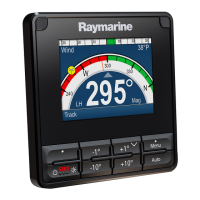
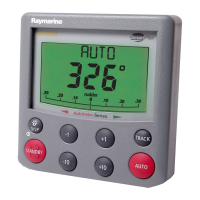
1. Leftsoftbutton
•Cancel
•Back
•Selectpilotmode
2.
Up/ -1 °
•Decreaseheadingby1degree
•Moveupinmenu
•Increasenumericalvalue
3.
Down/ +1 °
•Increaseheadingby1degree
•Movedowninmenu
•Decreasenumericalvalue
4.Menu/ Rightsoftbutton
•Openmenu
•Selectmenuitem
•OK
•Save
5.
Standby/ Power
•Disengageautopilot(standby)
•Poweron
•Poweroff
•OpenBrightnesspage
•Cancel
•Back
6.
–10 °—Decreaseheadingby10°
7.+10 °—Increaseheadingby10°
8.
Auto—Engageautopilot
9.Rotarycontroller
•Turnclockwisetoincreaseheading,movedownthroughmenuitemsortoincreasea
numericalvalue.
•Turncounter-clockwisetodecreaseheading,moveupthroughmenuitemsortodecreasea
numericalvalue.
•Presstheendoftherotarycontrollertoselectamenuoptionorsaveachangetoamenu
setting.
Thep70salsosupportsthefollowingcombinationbuttonpresses:
•
–1 °and –10 °
14



 To Next Page
 Loading...